Проектирование Обучение Развертывание
- Визуальные блоки рабочего процесса
- Встроенный AI-помощник
- Онлайн-обучение и воспроизведение
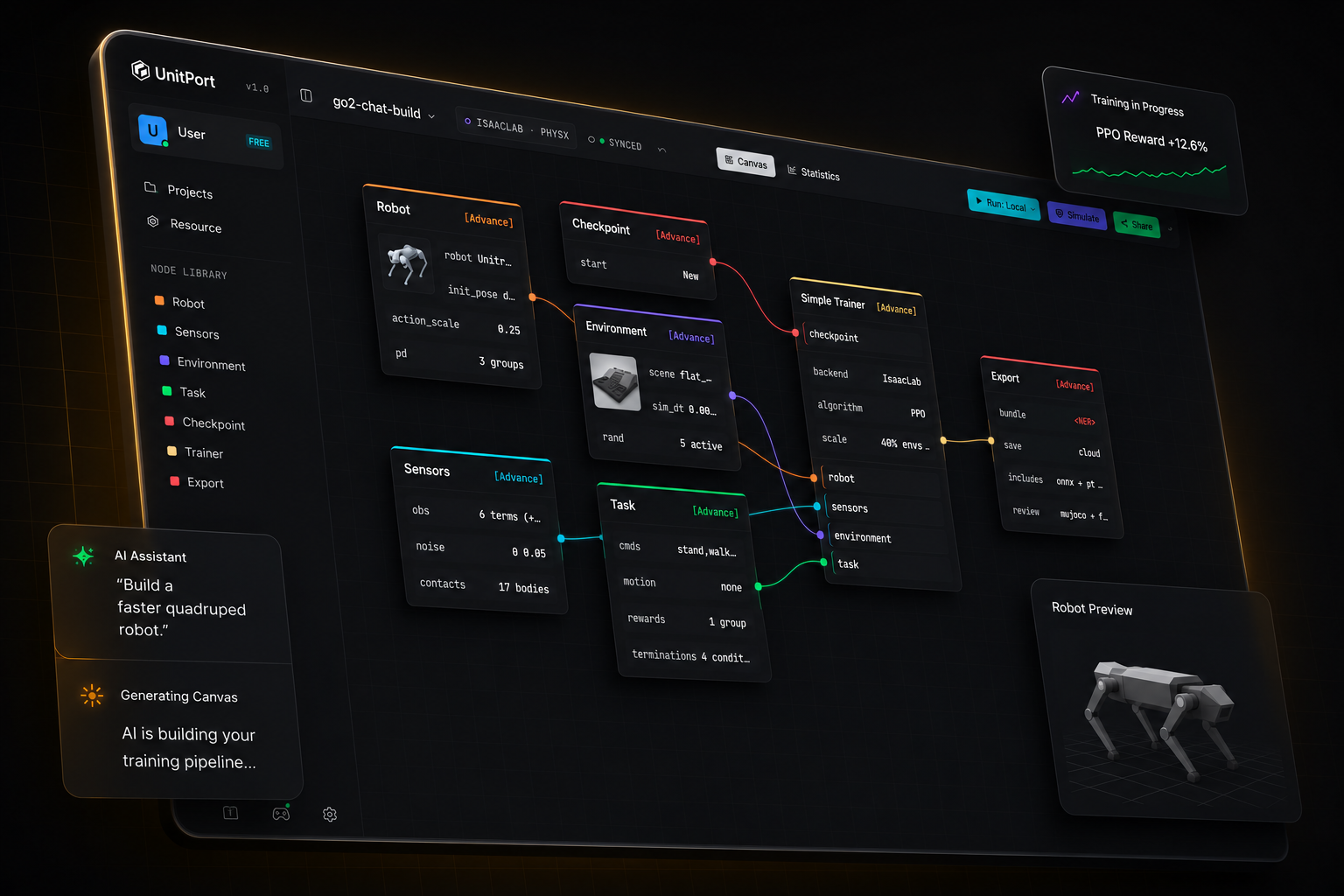
Обучение роботов ещё никогда не было таким простым
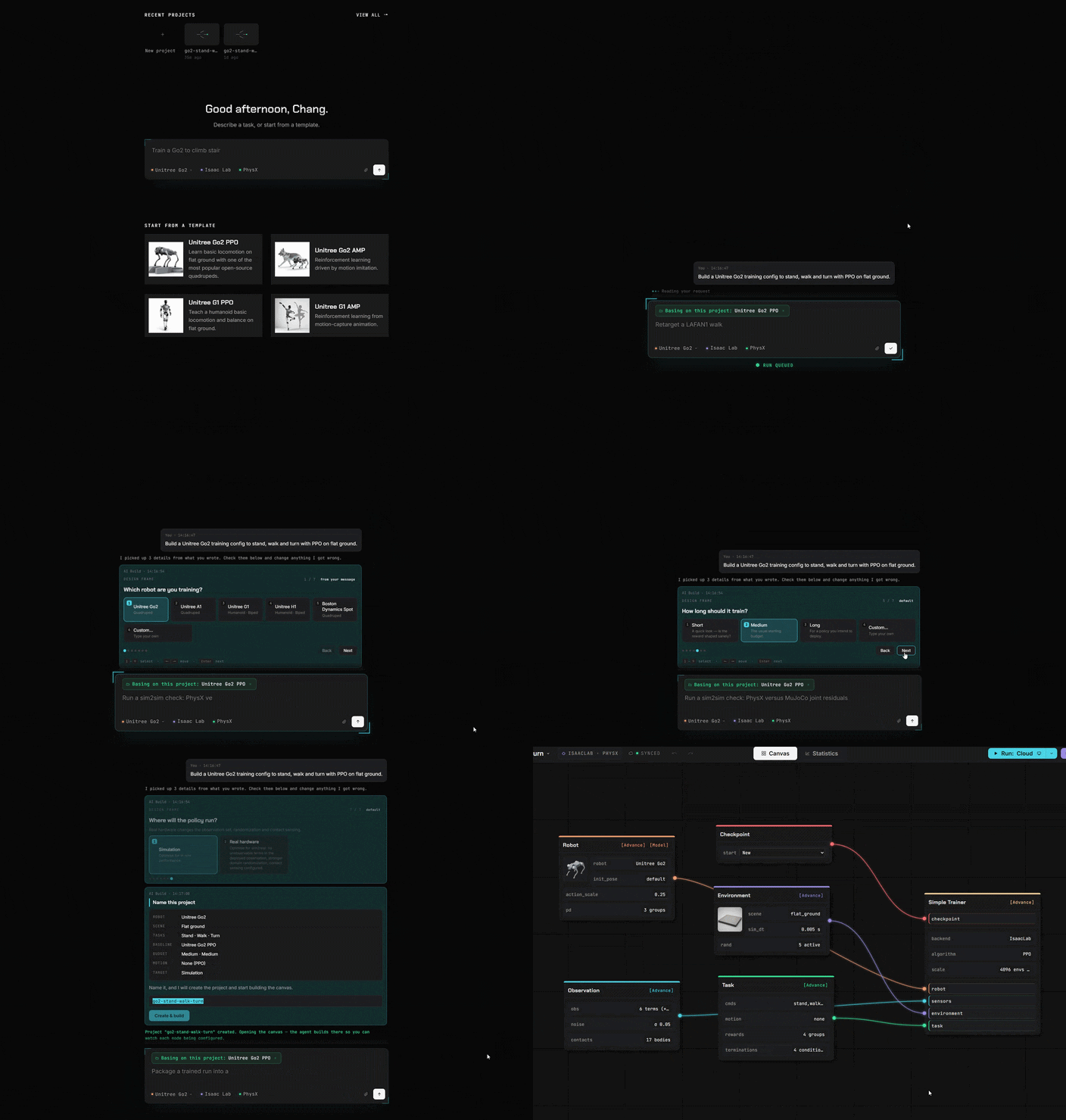
От модели робота до работающей политики
Четыре шага — одна вкладка браузера. Вы устанавливаете что‑то только тогда, когда хотите запускать обучение на своей машине.
-
01
Добавьте робота
Начните с одного из встроенных роботов или импортируйте своё описание и редактируйте его в браузере.
-
02
Соберите граф
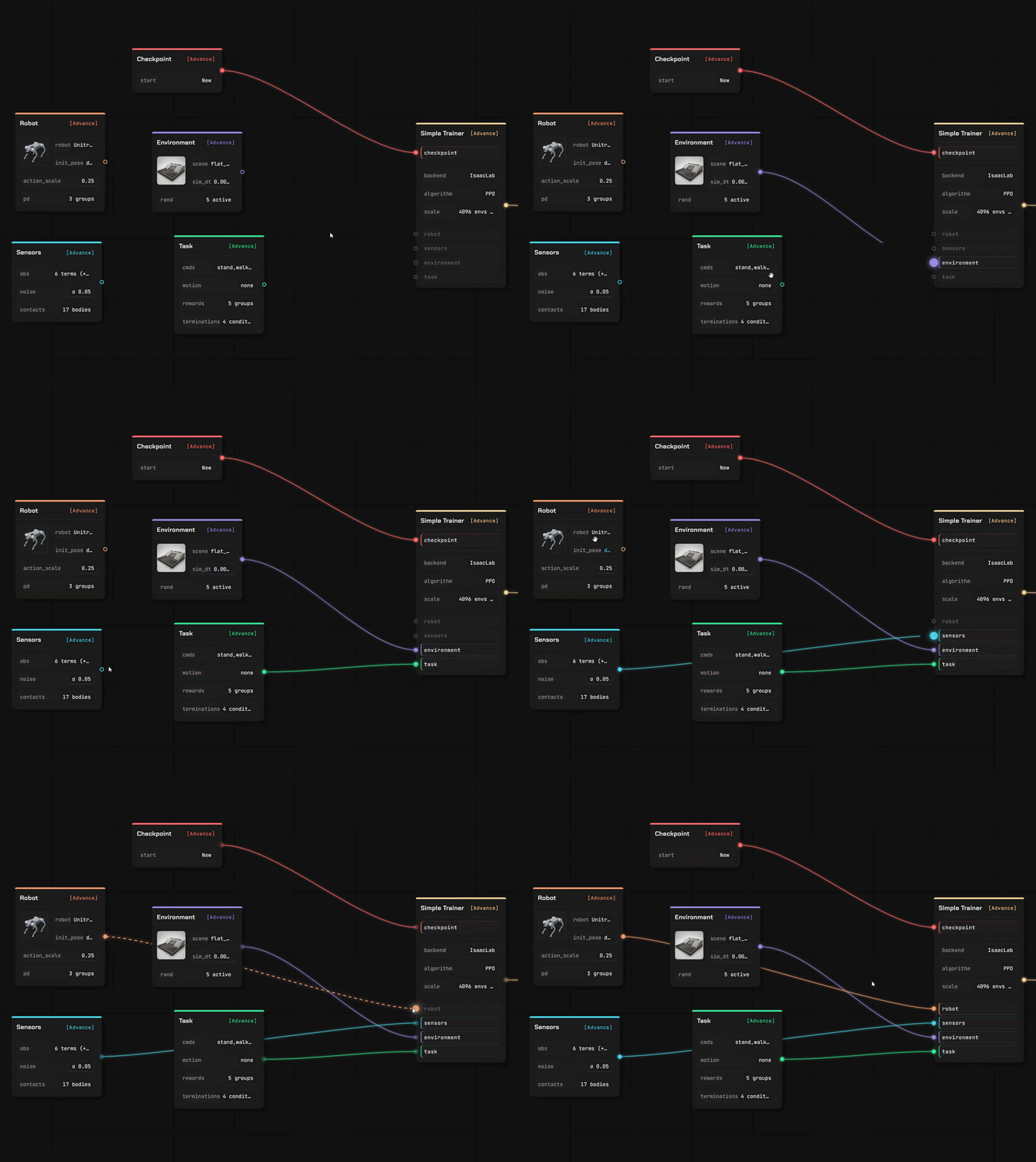
Шесть узлов содержат всю конфигурацию — робот, наблюдение, окружение, задача, чекпоинт, тренер.
-
03
Обучение
На наших облачных GPU, на вашем сервере или в Isaac Lab на машине под вашим столом.
-
04
Проверьте, затем экспортируйте
Воспроизведите обученную политику в MuJoCo, затем экспортируйте бандл с контрактом, необходимым роботу для её запуска.
Скажите AI
Он построит настройку
Укажите его на AI, запущенный на вашем компьютере. Или на любой API-адрес. Или просто используйте нашего агента.
Блоки вместо кода
Всё, что вы раньше писали кодом, теперь стало блоком. Перетащите, соедините, готово.
Добавьте своего робота и собственную поверхность, по которой он будет ходить.
Два полноценных редактора в той же вкладке, что и канвас. Ваши файлы читаются там, где вы их поместили — загруженное описание разбирается в вашем браузере, а не на сервере.
Редактор робота
Перетащите описание робота с его мешами — оно откроется как редактируемая модель, звено за звеном и шарнир за шарниром.
- URDF и MuJoCo XML разбираются в браузере; USD stage читается нашим сервисом
- Назначьте роли суставам, проверьте инерционные параметры, задайте модель приводов
- Каждое значение содержит информацию об источнике — ваше, оценённое или значение по умолчанию, которое мы подставили
Редактор сцены
Создайте рельеф, на котором политика будет обучаться, с помощью кисти и набора генераторов — затем используйте его в тренировочном канвасе.
- Формируйте рельеф, генерируйте лестницы, склоны, коробки и неровную местность
- Размещайте объекты с физикой столкновений и задавайте место появления робота
- Сохраняется в вашу личную библиотеку, готово для узла окружения
Импортируйте то, что у вас уже есть
Четыре типа ассетов и несколько способов их загрузки. Всё, что вы импортируете, попадает в ваше хранилище под вашей учётной записью.
Из публичного репозитория
Вставьте ссылку GitHub, выберите файлы, подтвердите. Описание робота подтянет указанные в нём меши.
С вашего компьютера
Загрузите файл или позвольте локальному помощнику скопировать модель, сцену, клип или завершённый прогон с вашего компьютера.
Из сообщества
Подпишитесь на то, что опубликовал другой пользователь — это установится в вашу библиотеку и будет готово к использованию.
Обучайте где угодно
Симулируйте онлайн
Подключитесь к нашему GPU / вашим облачным серверам или вашей собственной машине.
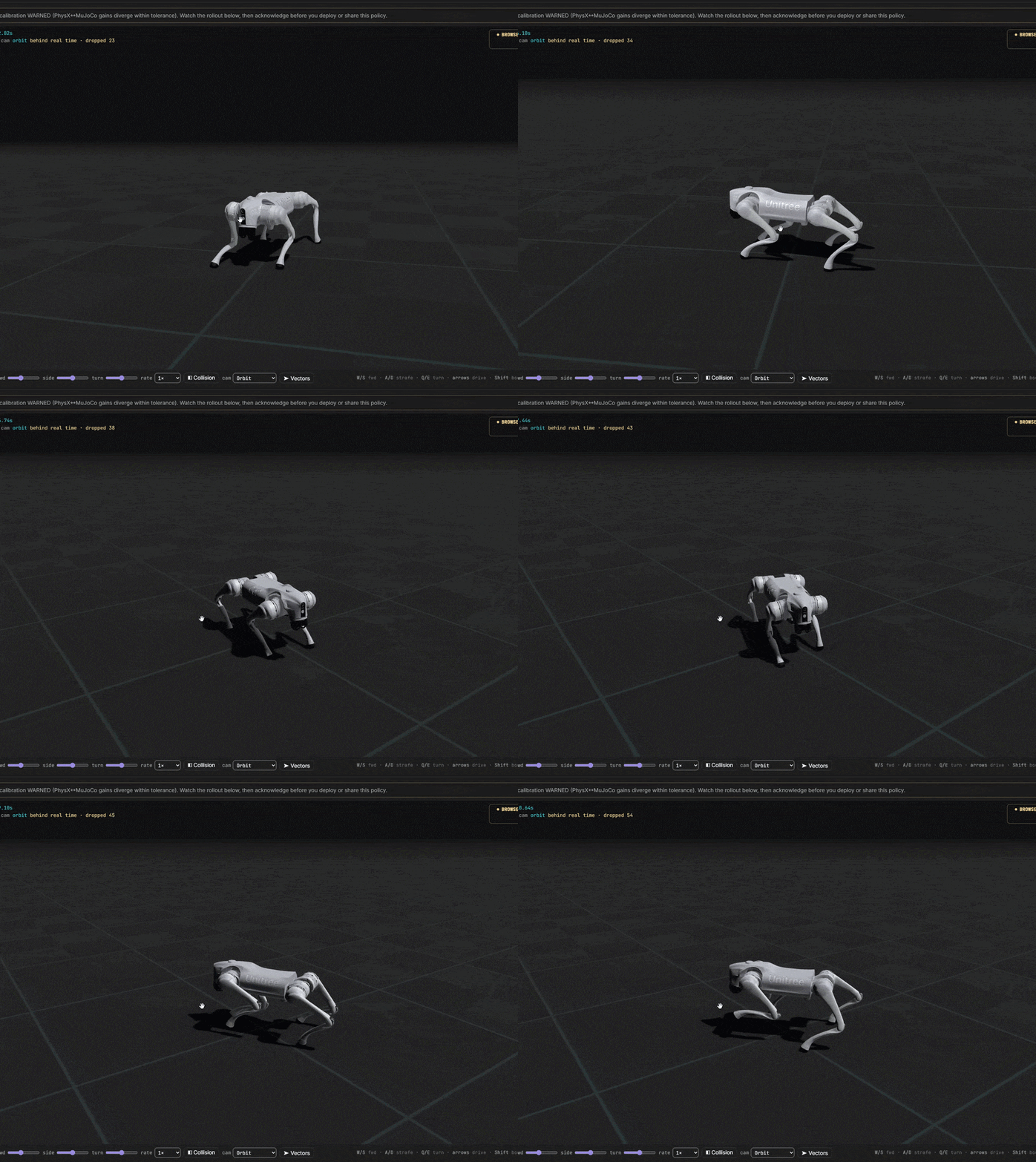
От идеи до обученного робота
Вы контролируете каждую затрату. Начинайте совершенно бесплатно. Быстро подключайтесь к нашим серверам или к своему тренировочному центру.