Projetar Treinar Implantar
- Blocos de fluxo de trabalho visual
- Assistente de IA integrado
- Treino online e reprodução
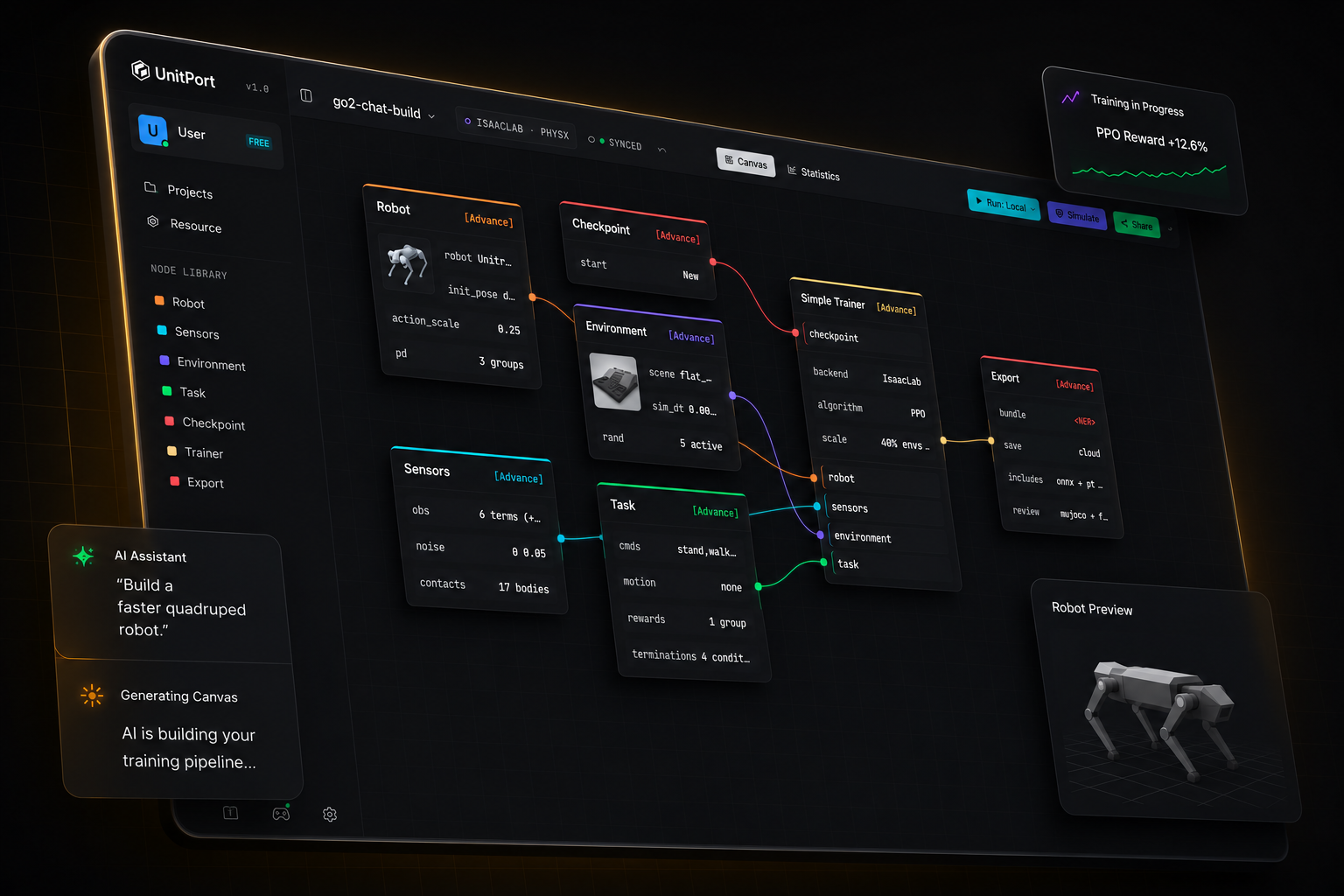
O treino de robôs nunca foi tão simples
De um modelo de robô a uma política em execução
Quatro etapas, uma aba de navegador. Você instala algo apenas quando quiser que o treinamento rode na sua própria máquina.
-
01
Traga um robô
Comece a partir de um dos robôs integrados, ou importe sua própria descrição e edite-a no navegador.
-
02
Monte o grafo
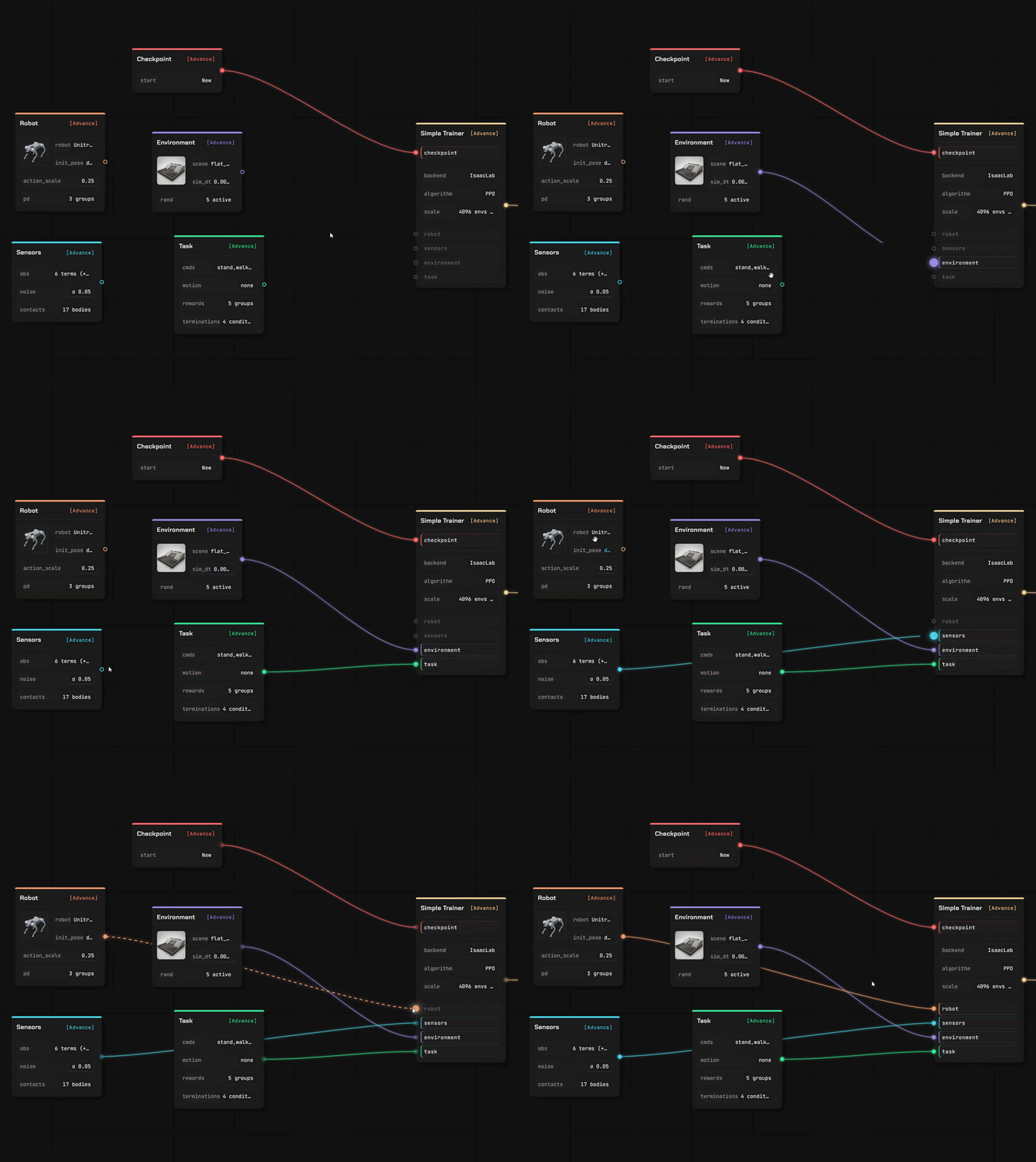
Seis nós carregam toda a configuração — robô, observação, ambiente, tarefa, checkpoint, treinador.
-
03
Treinar
Nas nossas GPUs na nuvem, no seu próprio servidor, ou no Isaac Lab na máquina sob sua mesa.
-
04
Confira, depois exporte
Reproduza a política treinada no MuJoCo, depois exporte um pacote com o contrato que um robô precisa para executá-la.
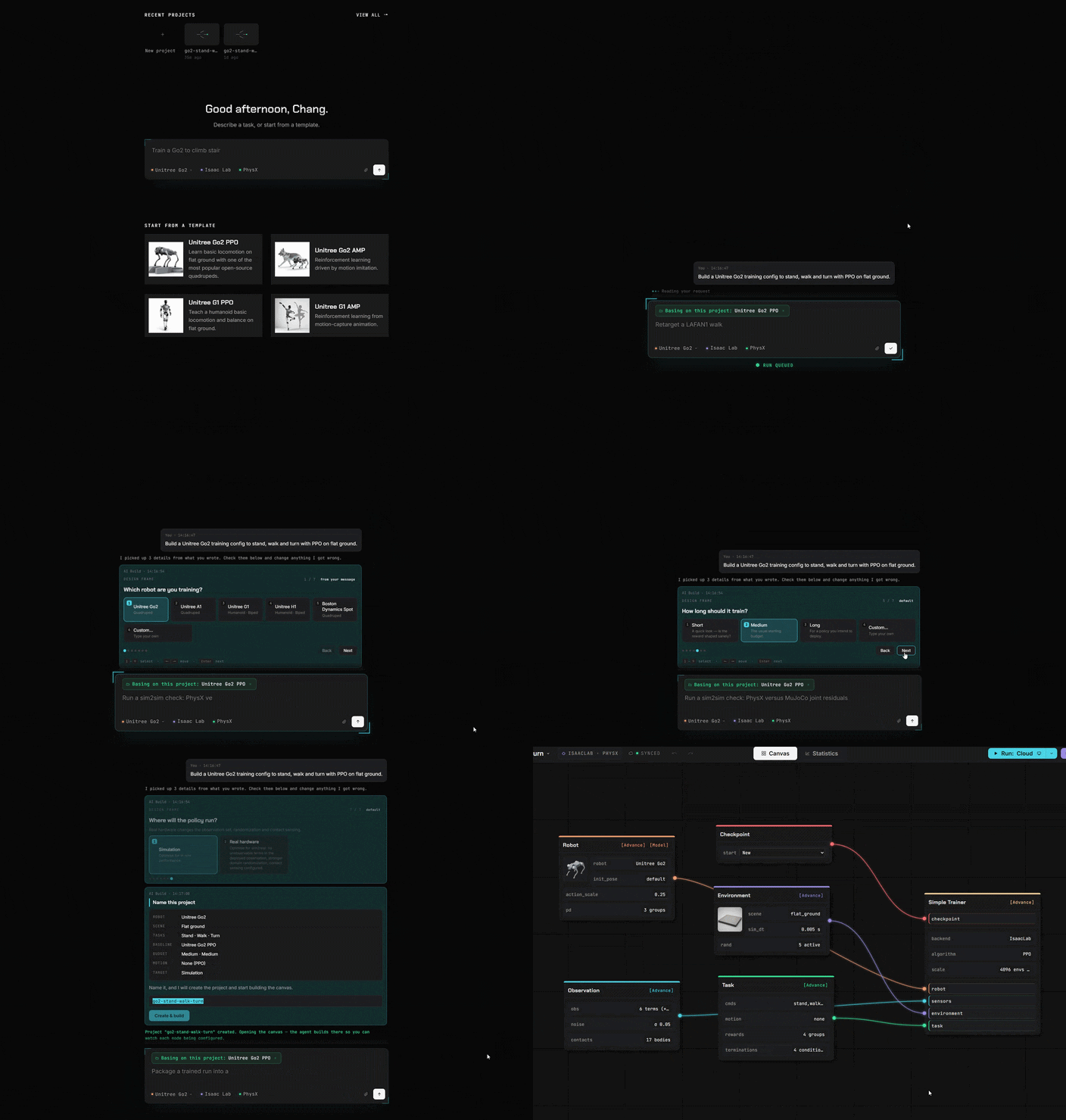
Diga à IA
Ela constrói a configuração
Aponte para a IA a correr no seu computador. Ou para qualquer endereço de API. Ou use apenas o nosso agente.
Blocos em vez de código
Tudo o que costumava escrever em código agora é um bloco. Arraste, conecte, pronto.
Traga seu próprio robô e o próprio terreno onde ele irá andar.
Dois editores completos, na mesma aba que o canvas. Seus arquivos são lidos onde você os soltou — uma descrição que você carrega é parseada no seu próprio navegador, não em um servidor.
Editor de Robôs
Solte uma descrição de robô com suas malhas e ela abre como um modelo editável, elo por elo e articulação por articulação.
- URDF e MuJoCo XML são analisados no navegador; um stage USD é lido pelo nosso serviço
- Atribua papéis às juntas, verifique as propriedades de inércia, defina o modelo do atuador
- Cada valor indica de onde veio — seu, estimado, ou um padrão que injetamos
Editor de Cena
Crie o terreno em que a política aprende, com um pincel e um conjunto de geradores — depois use-o em uma tela de treinamento.
- Modele o terreno, ou gere escadas, rampas, caixas e terreno acidentado
- Coloque objetos com colisão real e defina onde o robô aparece
- Salvo em sua própria biblioteca, pronto para o nó de ambiente
Importe o que você já tem
Quatro tipos de ativos e mais de uma forma de entrada. Tudo o que você importar será armazenado em seu próprio espaço, na sua conta.
De um repositório público
Cole um link do GitHub, escolha os arquivos, confirme. Uma descrição de robô traz junto as malhas que nomeia.
Da sua própria máquina
Envie um arquivo, ou deixe o auxiliar local copiar um modelo, uma cena, um clipe ou uma execução final do seu próprio computador.
Da comunidade
Assine algo publicado por outro usuário — ele é instalado na sua biblioteca pronto para uso.
Treine em qualquer lugar
Simule online
Conecte-se ao nosso GPU / seus servidores em nuvem ou sua própria máquina.
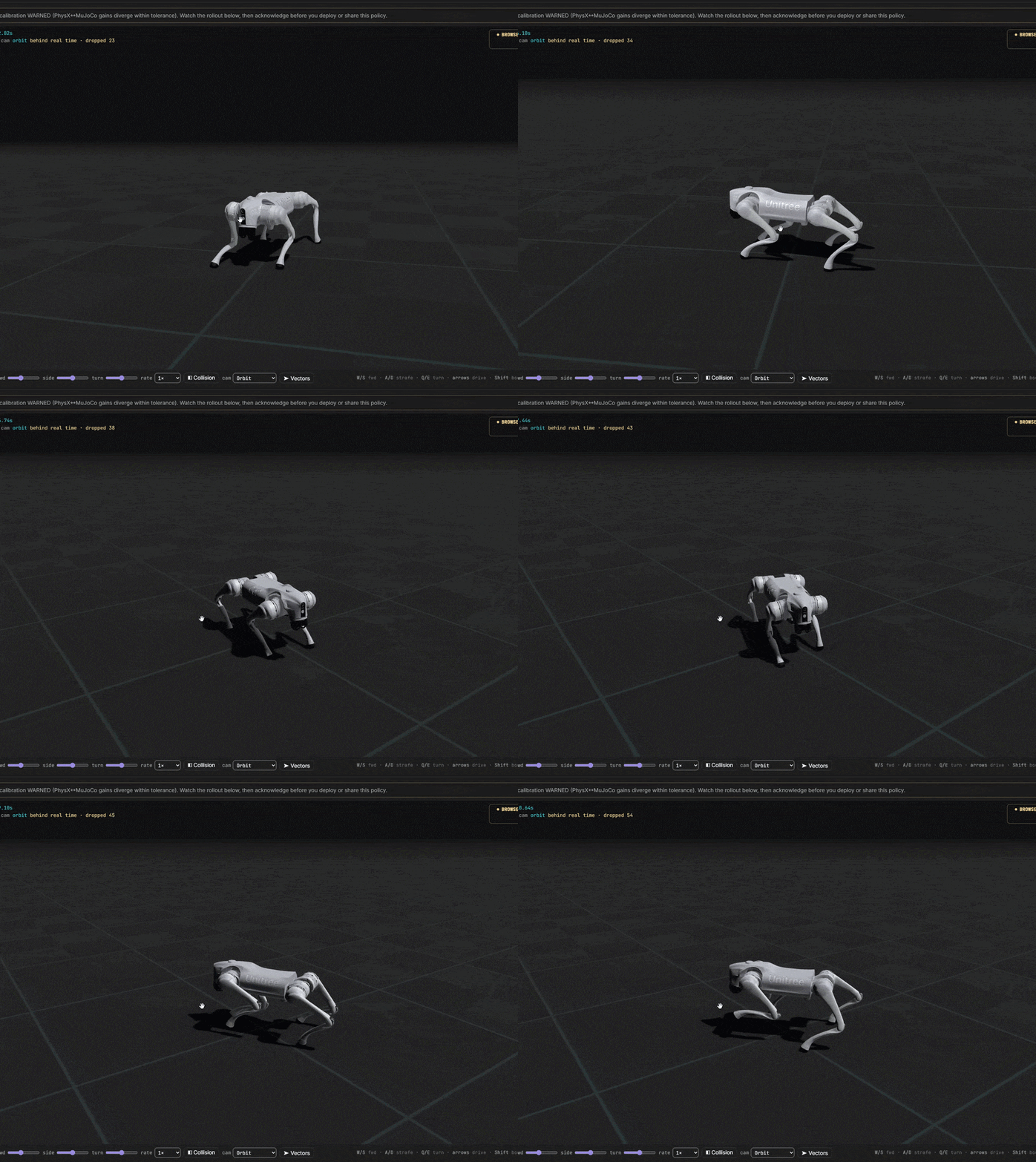
Da ideia ao robô treinado
Você controla cada custo. Comece completamente gratuito. Conecte-se rapidamente aos nossos servidores ou ao seu próprio centro de treinamento.