Conception Entraînement Déploiement
- Blocs de workflow visuels
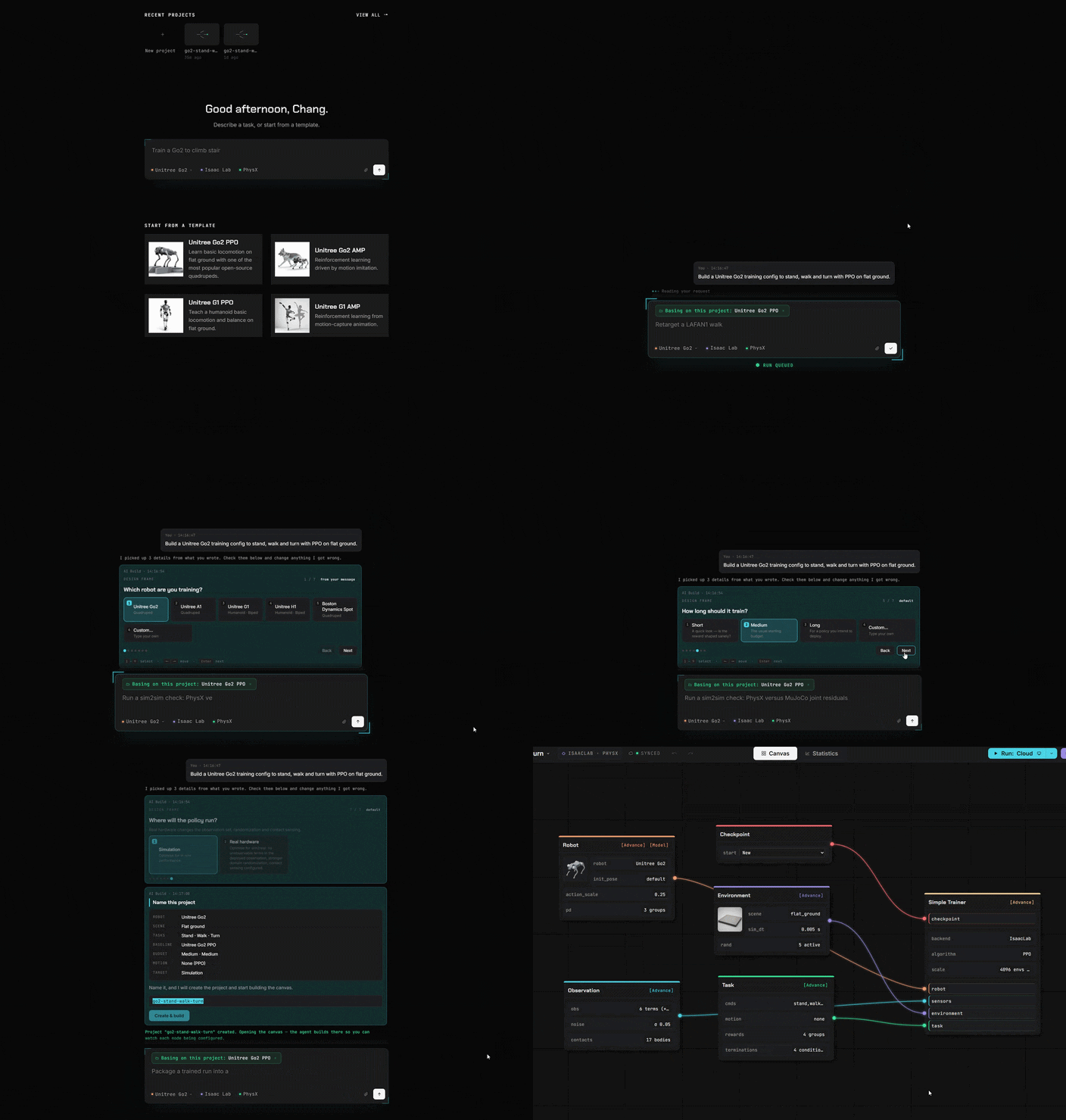
- Assistant IA intégré
- Entraînement en ligne et relecture
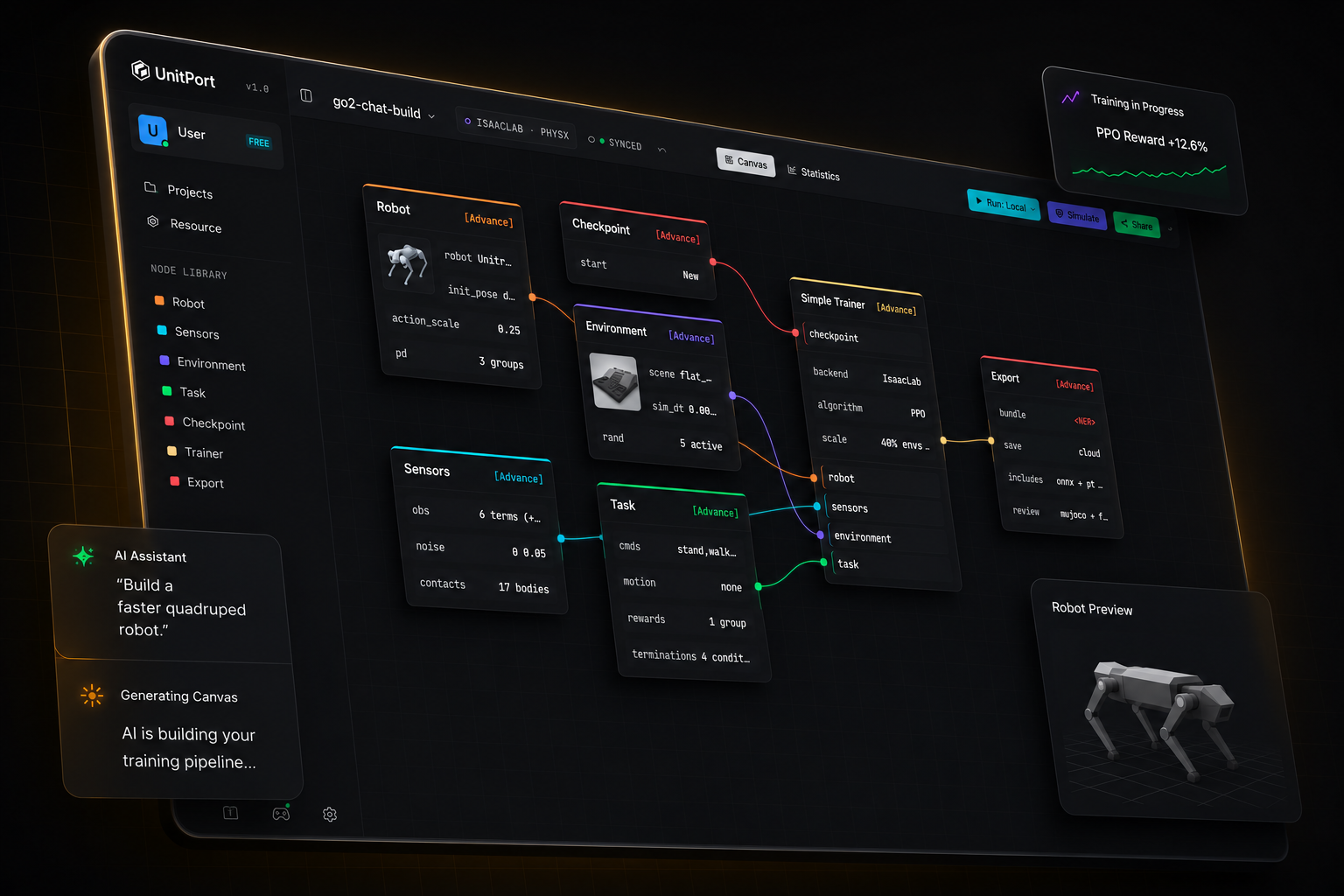
L'entraînement de robots n'a jamais été aussi simple
D'un modèle de robot à une politique opérationnelle.
Quatre étapes, un seul onglet. Vous n'installez quoi que ce soit que si vous souhaitez lancer l'entraînement sur votre machine.
-
01
Ajoutez un robot
Commencez à partir d'un des robots intégrés, ou importez votre propre description et modifiez-la dans le navigateur.
-
02
Composez le graphe
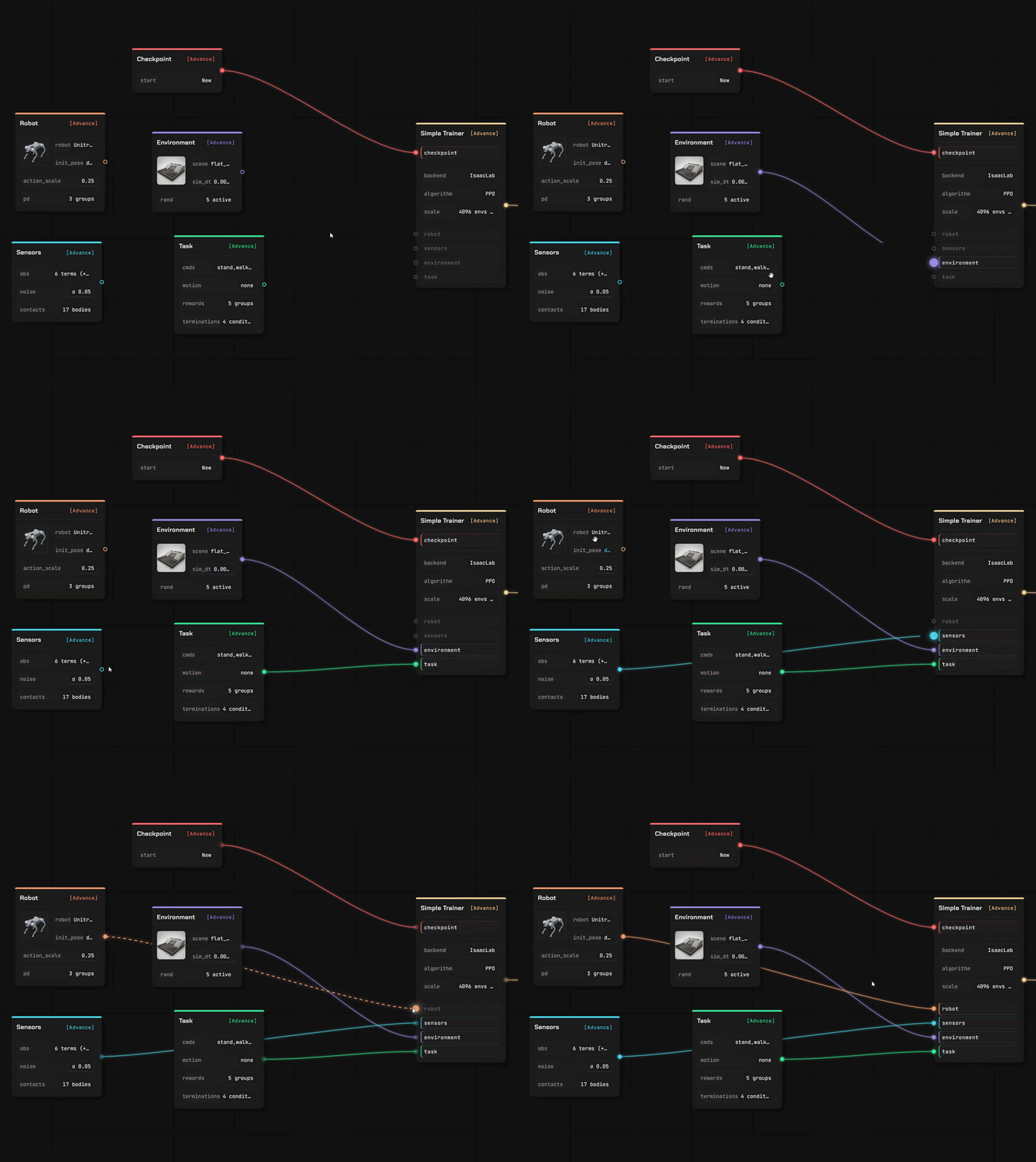
Six nœuds portent toute la configuration — robot, observation, environnement, tâche, checkpoint, trainer.
-
03
Entraînement
Sur nos GPU cloud, sur votre propre serveur, ou sur Isaac Lab, sur la machine sous votre bureau.
-
04
Vérifiez-le, puis exportez-le
Rejouez la politique entraînée dans MuJoCo, puis exportez un bundle contenant le contrat dont un robot a besoin pour l'exécuter.
Dites à l'IA
Elle construit la configuration
Pointez-la vers l'IA qui tourne sur votre ordinateur. Ou vers n'importe quelle adresse API. Ou utilisez simplement notre agent.
Des blocs au lieu du code
Tout ce que vous écriviez en code est désormais un bloc. Glissez-le, connectez-le, c'est fait.
Apportez votre propre robot et votre propre terrain.
Deux éditeurs complets, dans le même onglet que le canvas. Vos fichiers sont lus là où vous les avez déposés — une description que vous téléversez est analysée dans votre propre navigateur, pas sur un serveur.
Éditeur de robot
Déposez une description du robot avec ses maillages et elle s'ouvre en tant que modèle éditable, lien par lien et articulation par articulation.
- URDF et les XML MuJoCo sont analysés dans le navigateur ; une scène USD est lue par notre service
- Attribuer les rôles des articulations, vérifier les propriétés d'inertie, définir le modèle d'actionneur
- Chaque valeur indique son origine — la vôtre, estimée, ou une valeur par défaut que nous avons injectée
Éditeur de scène
Créez le terrain sur lequel la politique s'entraîne, à l'aide d'un pinceau et d'un ensemble de générateurs — puis utilisez-le dans un canevas d'entraînement.
- Sculptez le sol, ou générez des escaliers, des pentes, des boîtes et un terrain accidenté
- Placez des accessoires qui entrent réellement en collision, et définissez où le robot apparaît
- Enregistré dans votre propre bibliothèque, prêt pour le nœud d'environnement
Importez ce que vous avez déjà
Quatre types d'actifs, et plusieurs modes d'importation. Tout ce que vous importez est placé dans votre espace de stockage, sous votre propre compte.
Depuis un dépôt public
Collez un lien GitHub, choisissez les fichiers, confirmez. Une description de robot apporte avec elle les maillages qu'elle nomme.
Depuis votre propre machine
Téléversez un fichier, ou laissez l'assistant local copier un modèle, une scène, un clip ou une exécution terminée depuis votre propre ordinateur.
Depuis la communauté
Abonnez-vous à un élément publié par un autre utilisateur — il s'installe dans votre bibliothèque, prêt à l'emploi.
Entraînez-vous n'importe où
Simulez en ligne
Connectez-vous à notre GPU / vos serveurs cloud ou votre propre machine.
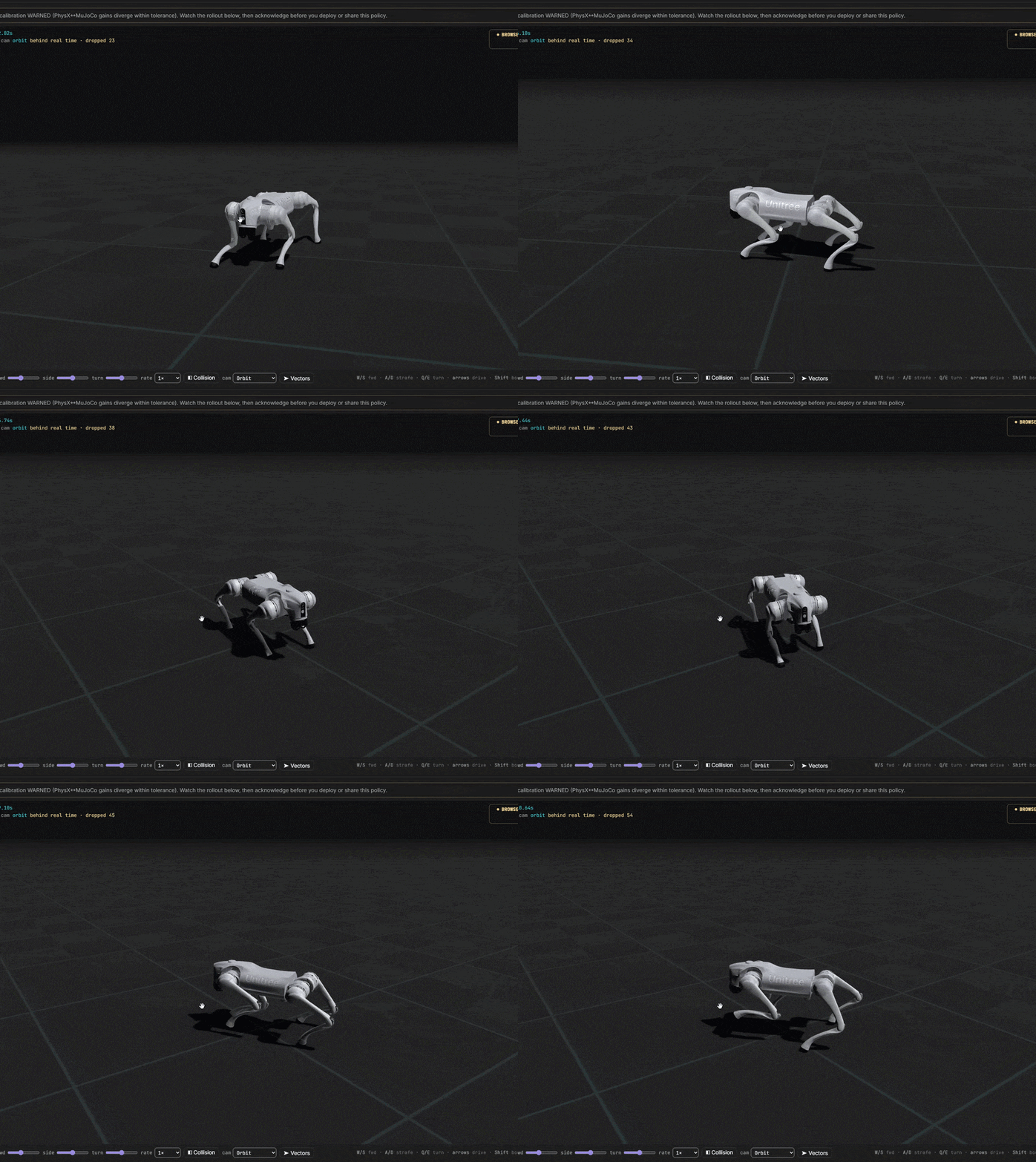
De l'idée au robot entraîné
Vous contrôlez chaque coût. Commencez entièrement gratuitement. Connectez-vous rapidement à nos serveurs ou à votre propre centre d'entraînement.