AI 네이티브 로보틱스 스튜디오

디자인 훈련 배포

  • 시각적 워크플로우 블록
  • 내장 AI 어시스턴트
  • 온라인 훈련 및 재생
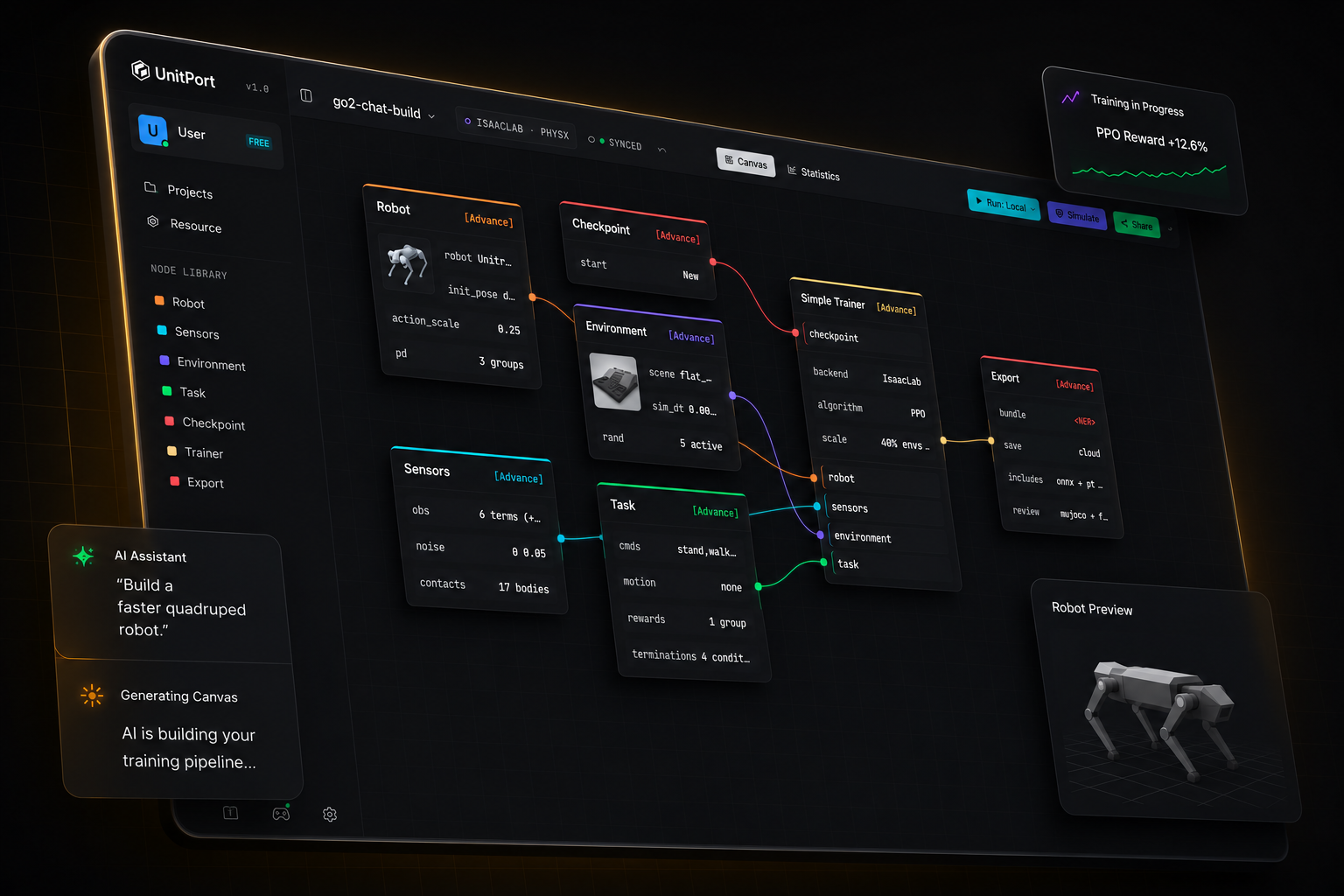
UnitPort 시각적 캔버스. 로봇, 센서, 환경, 작업, 트레이너 및 내보내기 노드가 하나의 훈련 그래프로 연결됩니다.
AI로 구축원하는 것을 말하세요. AI가 구축합니다.
시각적 캔버스블록을 드래그하세요. 코드를 작성하지 마세요.
온라인 훈련 및 시뮬레이션클라우드 GPU 또는 자체 머신.

로봇 훈련이 이렇게 간단한 적은 없었습니다.

How it works

From a robot model to a running policy

Four steps, one browser tab. You install something only when you want the training to run on your own machine.

  1. 01

    Bring a robot

    Start from one of the built-in robots, or import your own description and edit it in the browser.

  2. 02

    Compose the graph

    Six nodes carry the whole configuration — robot, observation, environment, task, checkpoint, trainer.

  3. 03

    Train

    On our cloud GPUs, on your own server, or on Isaac Lab on the machine under your desk.

  4. 04

    Check it, then take it

    Replay the trained policy in MuJoCo, then export a bundle with the contract a robot needs to run it.

AI 구축

AI에게 말하세요
AI가 설정을 구축합니다.

컴퓨터에서 실행 중인 AI를 가리키세요. 또는 API 주소를 가리키세요. 아니면 당사의 에이전트를 사용하세요.
로컬 AI 모든 API 주소 또는 당사의 에이전트
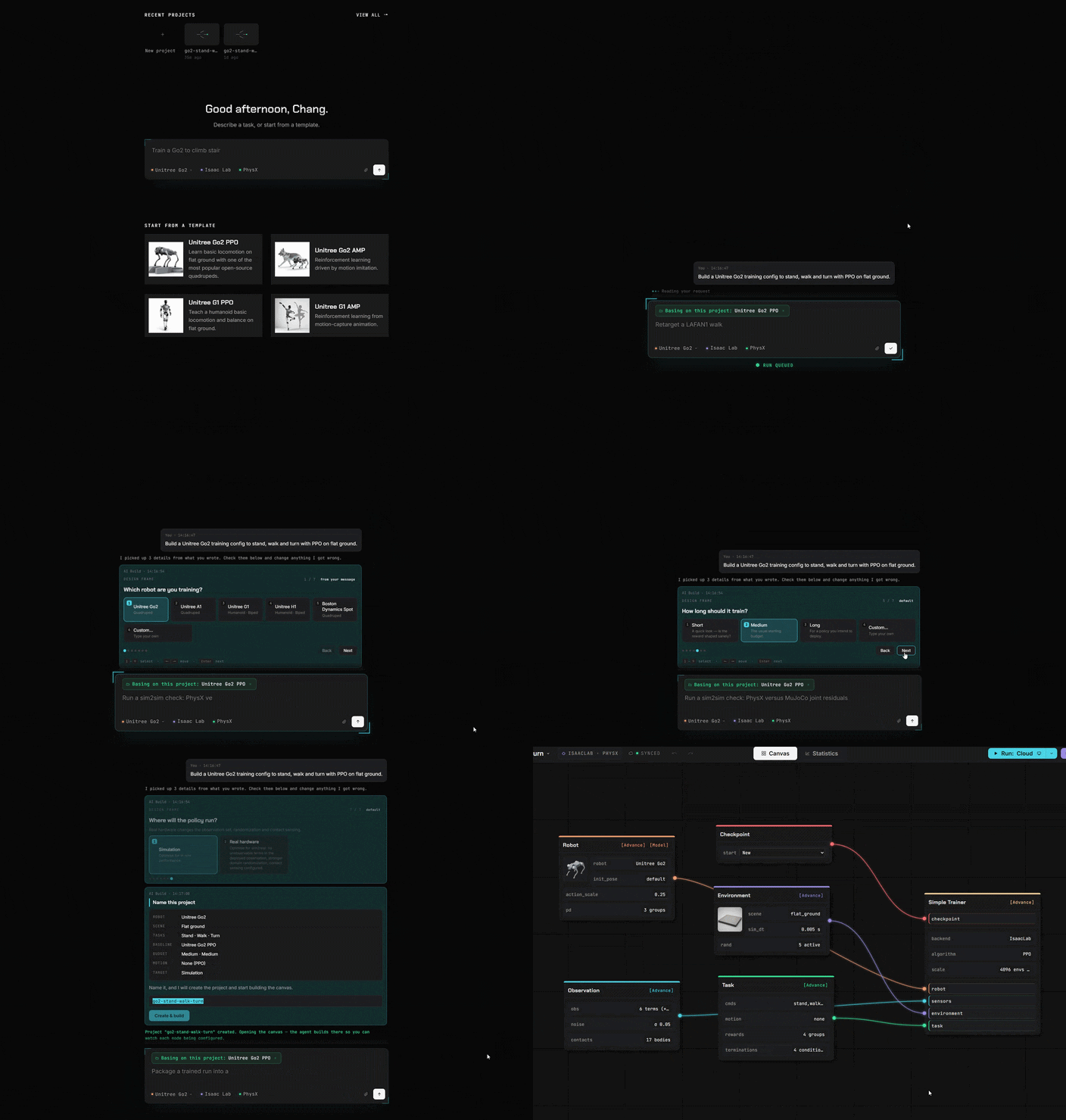
AI 구축 패널. 일반 언어 요청이 Task 노드를 업데이트합니다.
시각적 캔버스

코드 대신 블록

이전에 코드로 작성했던 모든 것이 이제 블록입니다. 드래그하고 연결하면 끝입니다.
코드 불필요 드래그 앤 드롭 전체 설정 보기
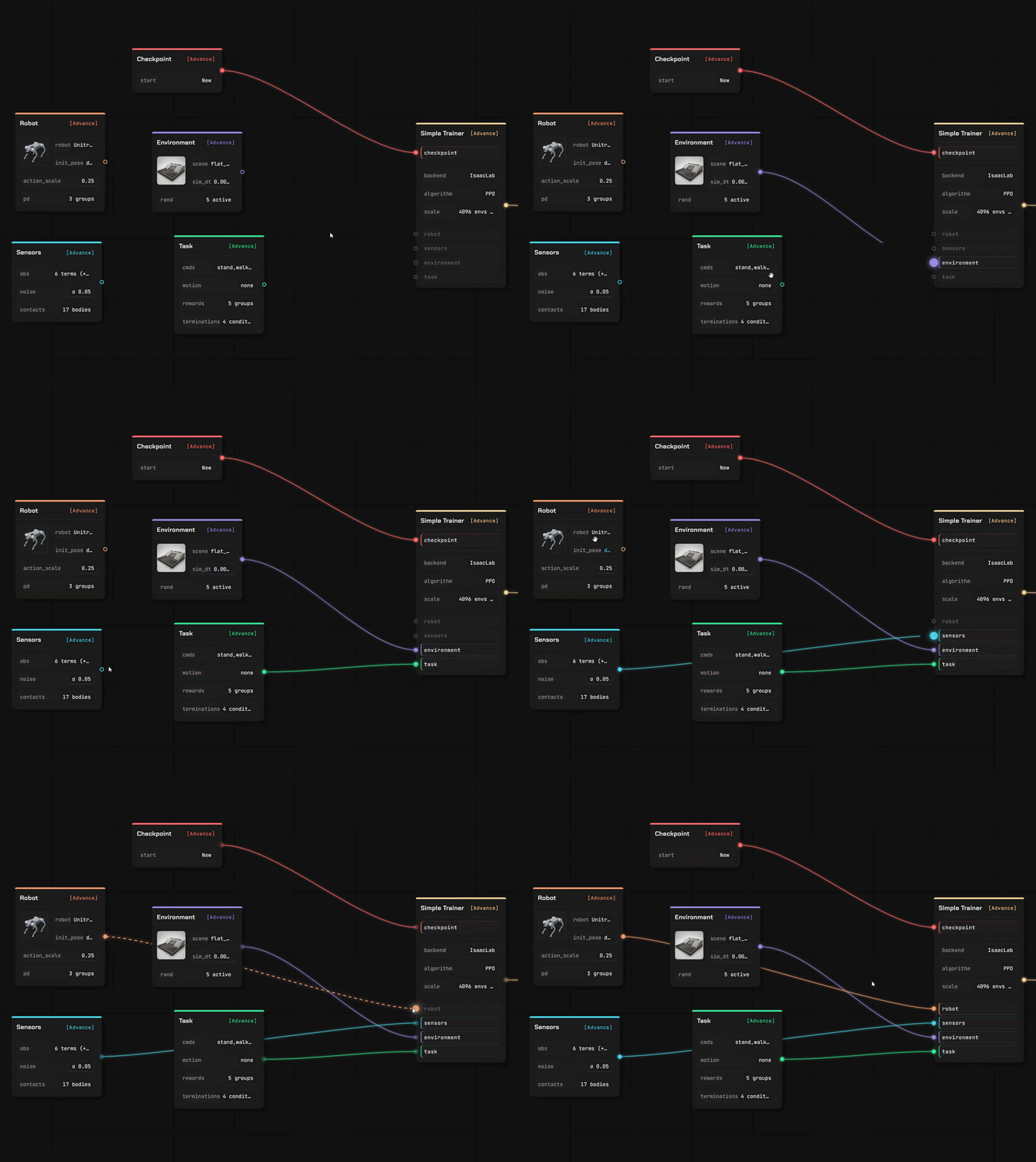
로봇, 태스크, 트레이너 노드가 UnitPort 캔버스에서 연결되어 있습니다.
Editors

Bring your own robot, and your own ground to walk on

Two full editors, in the same tab as the canvas. Your files are read where you dropped them — a description you upload is parsed in your own browser, not on a server.

Robot Editor

Drop in a robot description with its meshes and it opens as an editable model, link by link and joint by joint.

  • URDF and MuJoCo XML are parsed in the browser; a USD stage is read by our service
  • Assign joint roles, check inertials, set the actuator model
  • Every value carries where it came from — yours, estimated, or a default we injected

Scene Editor

Author the terrain the policy learns on, with a brush and a set of generators — then use it in a training canvas.

  • Sculpt the ground, or generate stairs, slopes, boxes and rough terrain
  • Place props that really collide, and set where the robot spawns
  • Saved into your own library, ready for the environment node
Resource library

Import what you already have

Four kinds of asset, and more than one way in. Everything you import lands in your own storage, under your own account.

ModelsRobots, with their joints and inertials
FieldsTerrain and scenes to train on
MotionsReference clips for imitation
BundlesTrained policies, ready to deploy

From a public repository

Paste a GitHub link, pick the files, confirm. A robot description brings the meshes it names along with it.

From your own machine

Upload a file, or let the local helper copy a model, a scene, a clip or a finished run in from your own computer.

From the community

Subscribe to something another user published — it installs into your library ready to use.

트레이닝 및 배포

어디서나 트레이닝
온라인 시뮬레이션

我们的 GPU / 你的云服务器 或 你自己的机器。
저희 클라우드 GPU 자체 서버 로컬 머신
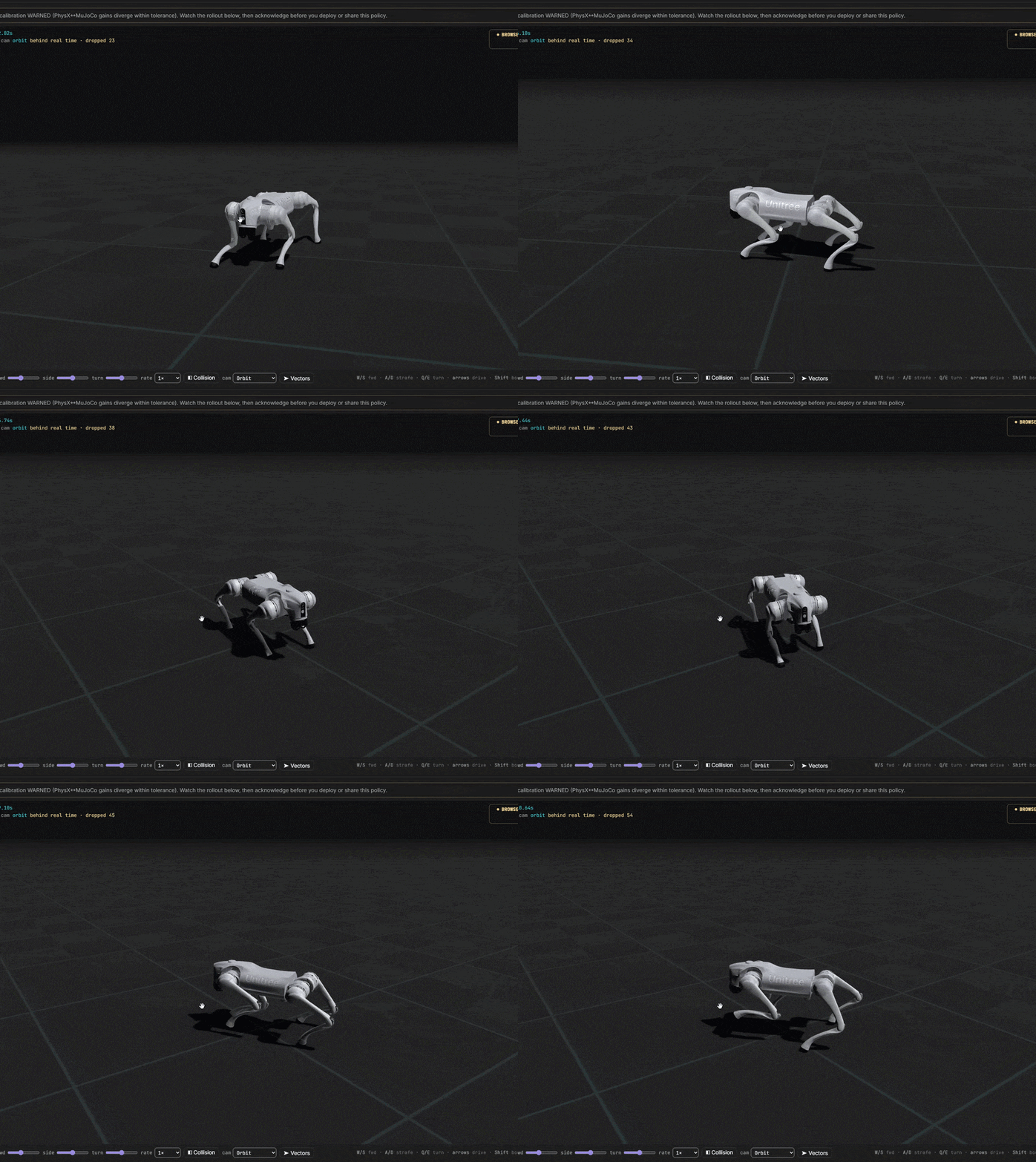
UnitPort 워크플로에서 배포된 사족 보행 로봇

아이디어에서 훈련된 로봇까지

모든 비용을 통제하세요. 완전 무료로 시작하세요. 강요하는 월간 구독은 없습니다.