AIネイティブロボティクススタジオ

デザイン トレーニング デプロイ

  • ビジュアルワークフローブロック
  • 内蔵AIアシスタント
  • オンライントレーニングと再生
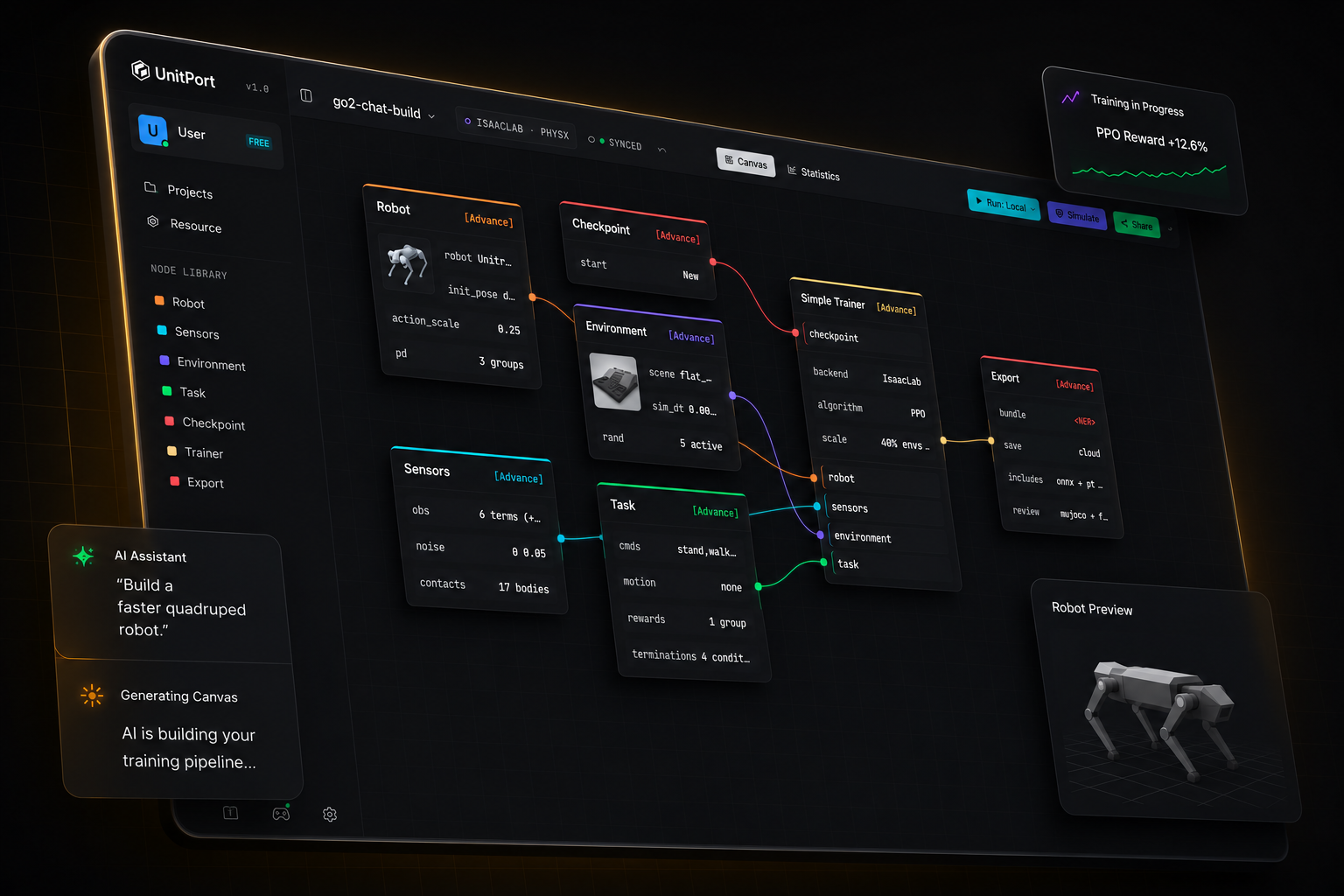
UnitPortのビジュアルキャンバス。ロボット、センサー、環境、タスク、トレーナー、エクスポートの各ノードが1つのトレーニンググラフに配線されています。
AIで構築言いたいことを言うだけで、自動で構築。
ビジュアルキャンバスブロックをドラッグ。コードは不要。
オンライントレーニング&シミュレーションクラウドGPUまたは自分のマシン。

ロボットトレーニングがこんなに簡単になったことはありません

How it works

From a robot model to a running policy

Four steps, one browser tab. You install something only when you want the training to run on your own machine.

  1. 01

    Bring a robot

    Start from one of the built-in robots, or import your own description and edit it in the browser.

  2. 02

    Compose the graph

    Six nodes carry the whole configuration — robot, observation, environment, task, checkpoint, trainer.

  3. 03

    Train

    On our cloud GPUs, on your own server, or on Isaac Lab on the machine under your desk.

  4. 04

    Check it, then take it

    Replay the trained policy in MuJoCo, then export a bundle with the contract a robot needs to run it.

AIビルド

AIに指示するだけで
セットアップを構築

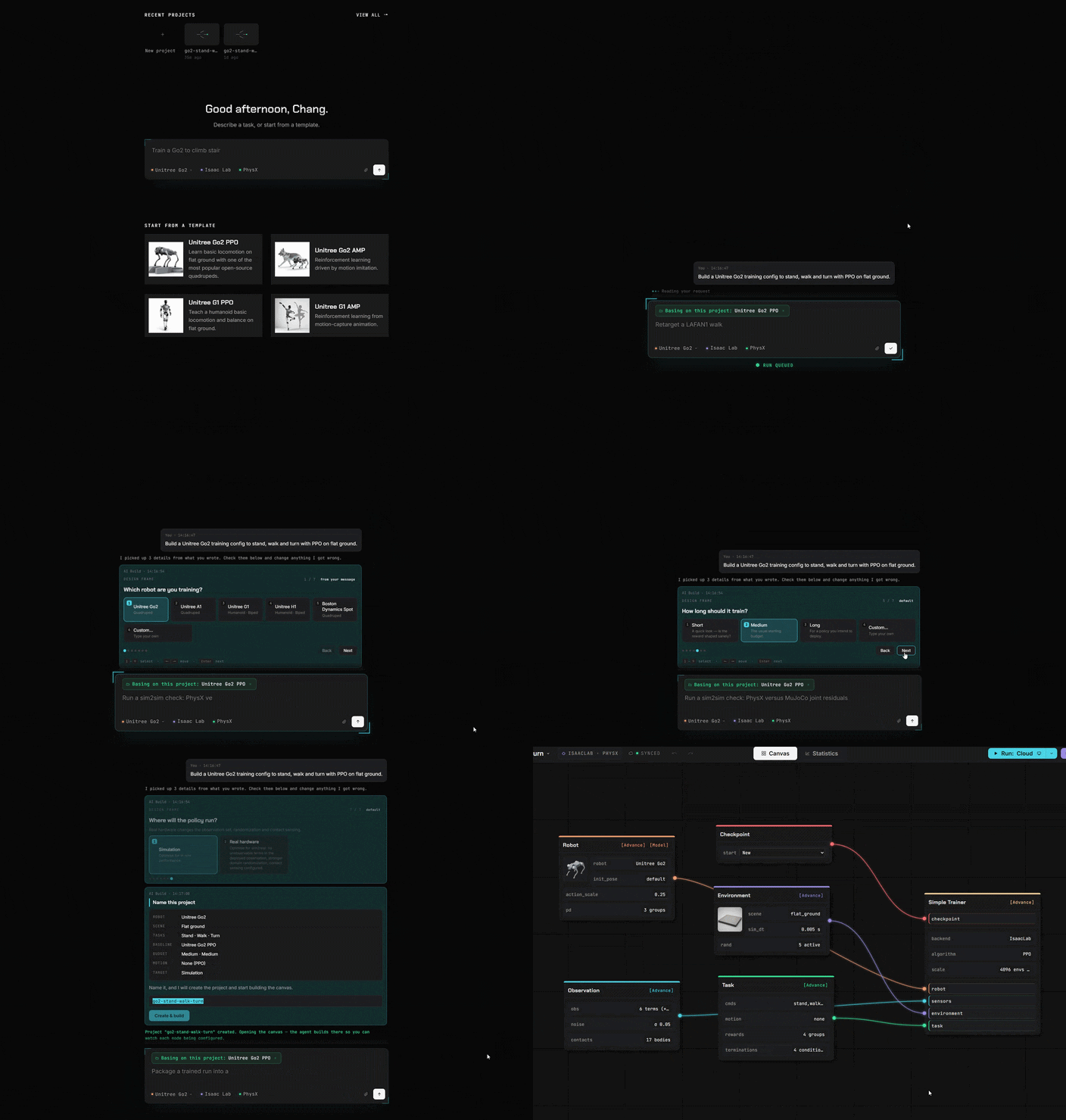
自分のコンピュータで動作しているAIを指定するか、任意のAPIアドレスを指定するか、または当社のエージェントを使用してください。
ローカルAI 任意のAPIアドレス または当社のエージェント
AIビルドパネル。平易な言葉でのリクエストがタスクノードを更新します。
ビジュアルキャンバス

コードの代わりにブロック

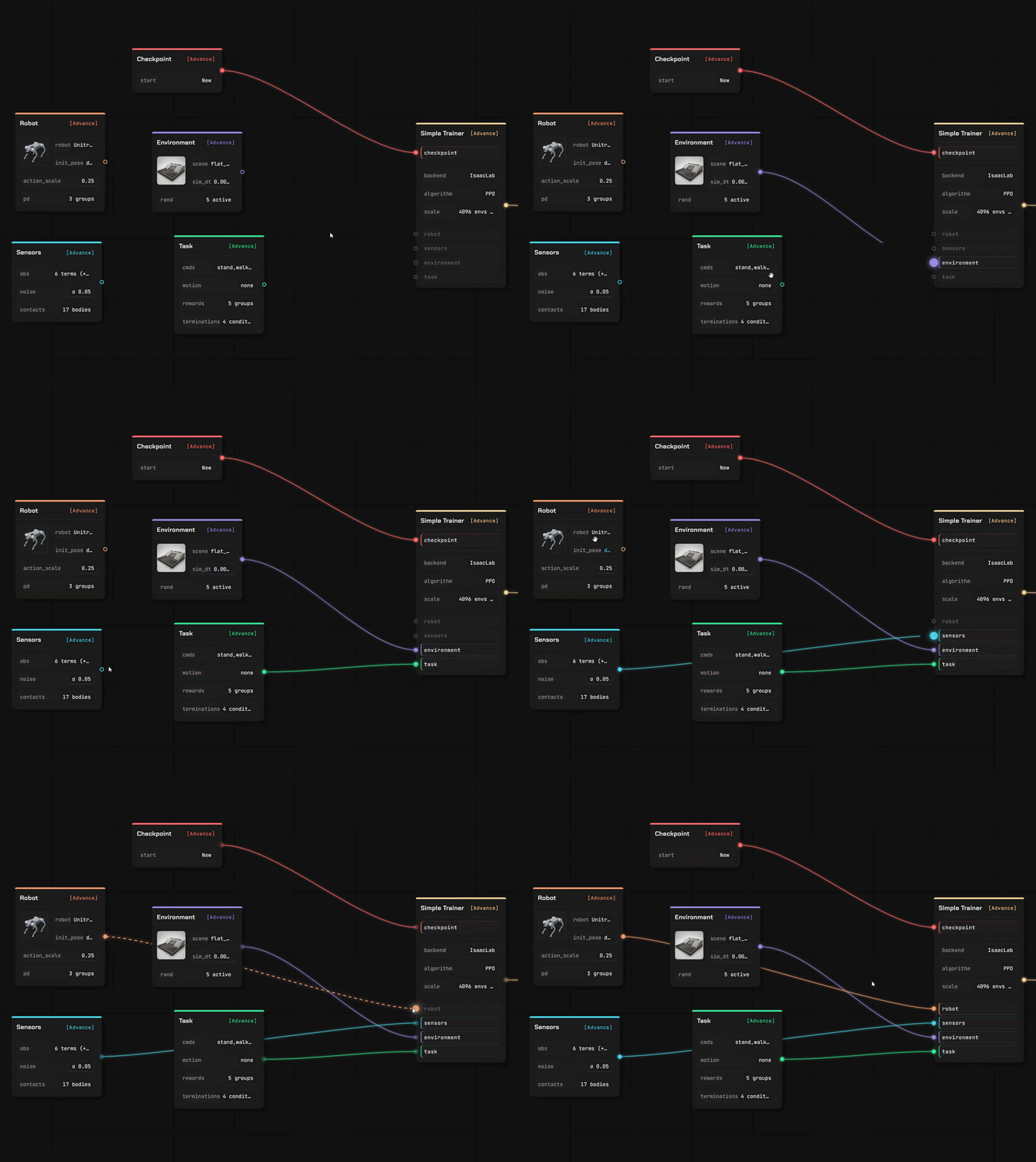
かつてコードで書いていたすべてが、今はブロックになりました。ドラッグして、つなげて、完了です。
コード不要 ドラッグ&ドロップ 全体のセットアップを確認
ロボット、タスク、トレーナーの各ノードがUnitPortキャンバス上で接続されています
Editors

Bring your own robot, and your own ground to walk on

Two full editors, in the same tab as the canvas. Your files are read where you dropped them — a description you upload is parsed in your own browser, not on a server.

Robot Editor

Drop in a robot description with its meshes and it opens as an editable model, link by link and joint by joint.

  • URDF and MuJoCo XML are parsed in the browser; a USD stage is read by our service
  • Assign joint roles, check inertials, set the actuator model
  • Every value carries where it came from — yours, estimated, or a default we injected

Scene Editor

Author the terrain the policy learns on, with a brush and a set of generators — then use it in a training canvas.

  • Sculpt the ground, or generate stairs, slopes, boxes and rough terrain
  • Place props that really collide, and set where the robot spawns
  • Saved into your own library, ready for the environment node
Resource library

Import what you already have

Four kinds of asset, and more than one way in. Everything you import lands in your own storage, under your own account.

ModelsRobots, with their joints and inertials
FieldsTerrain and scenes to train on
MotionsReference clips for imitation
BundlesTrained policies, ready to deploy

From a public repository

Paste a GitHub link, pick the files, confirm. A robot description brings the meshes it names along with it.

From your own machine

Upload a file, or let the local helper copy a model, a scene, a clip or a finished run in from your own computer.

From the community

Subscribe to something another user published — it installs into your library ready to use.

トレーニング&デプロイ

どこでもトレーニング
オンラインでシミュレーション

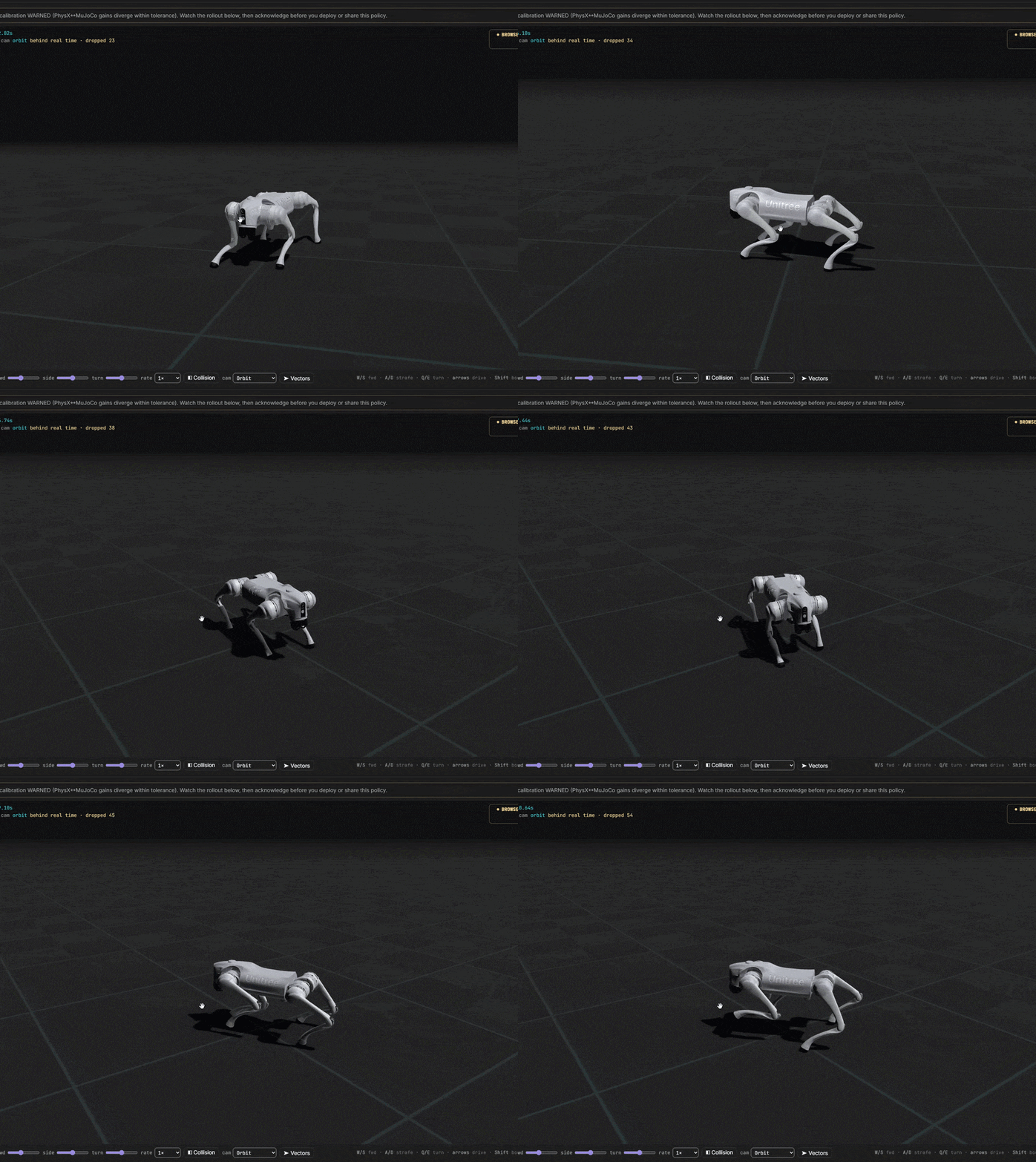
当社の GPU / クラウドサーバー または ご自身のマシンに接続。
当社のクラウドGPU お客様自身のサーバー ローカルマシン
UnitPortワークフローからデプロイされた四足ロボット

アイデアからトレーニング済みロボットへ

すべてのコストを自分で管理できます。完全無料で始められます。しつこい月額サブスクリプションはありません。