Diseño Entrenamiento Despliegue
- Bloques visuales de flujo de trabajo
- Asistente de IA integrado
- Entrenamiento en línea y reproducción
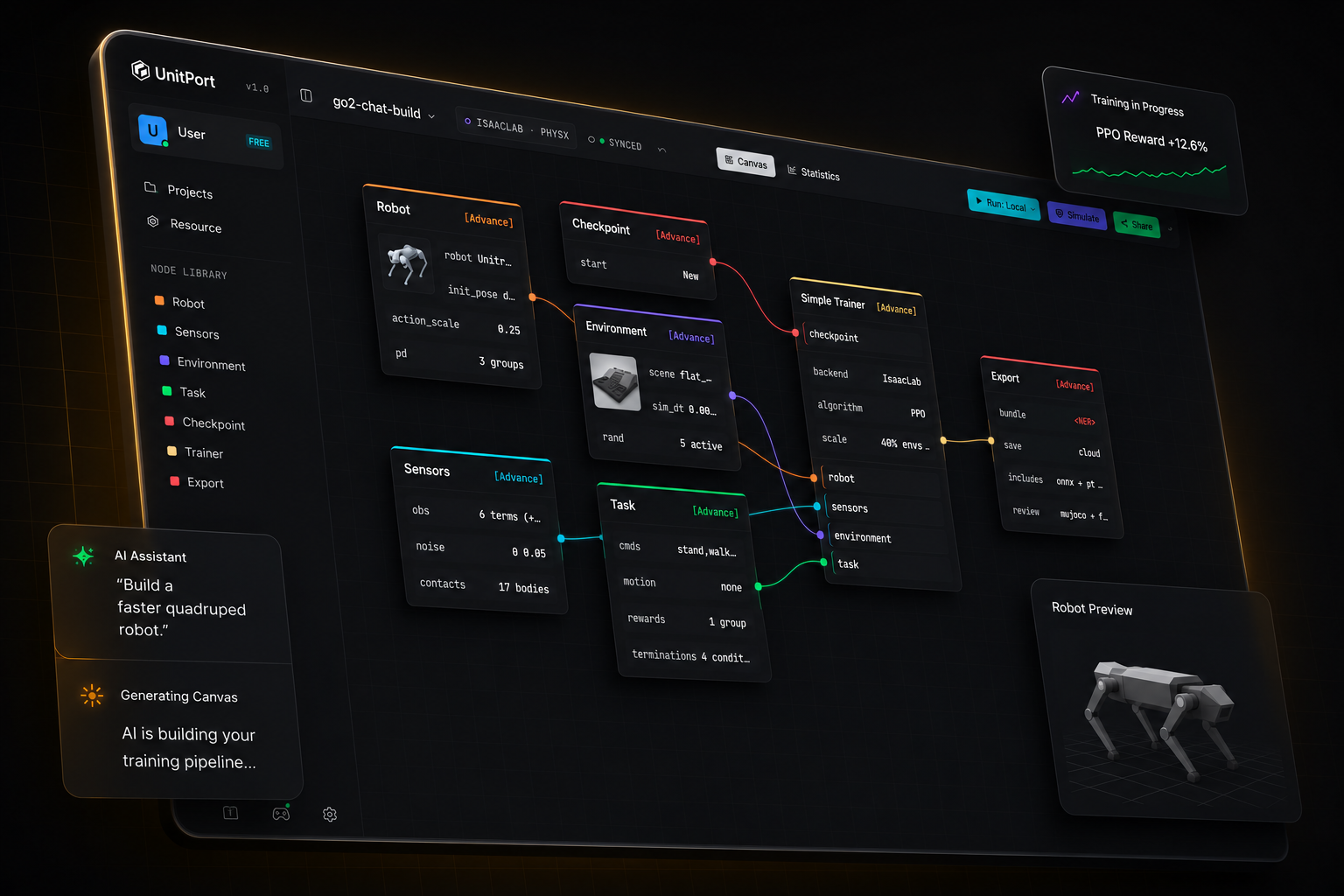
El entrenamiento de robots nunca ha sido tan sencillo
De un modelo de robot a una política en ejecución
Cuatro pasos, una pestaña del navegador. Solo instalas algo cuando quieres que el entrenamiento se ejecute en tu propia máquina.
-
01
Trae un robot
Comienza con uno de los robots incorporados, o importa tu propia descripción y edítala en el navegador.
-
02
Compón el grafo
Seis nodos contienen toda la configuración — robot, observación, entorno, tarea, punto de control, entrenador.
-
03
Entrenar
En nuestras GPUs en la nube, en tu propio servidor, o en Isaac Lab en la máquina que está debajo de tu escritorio.
-
04
Compruébalo y luego descárgalo
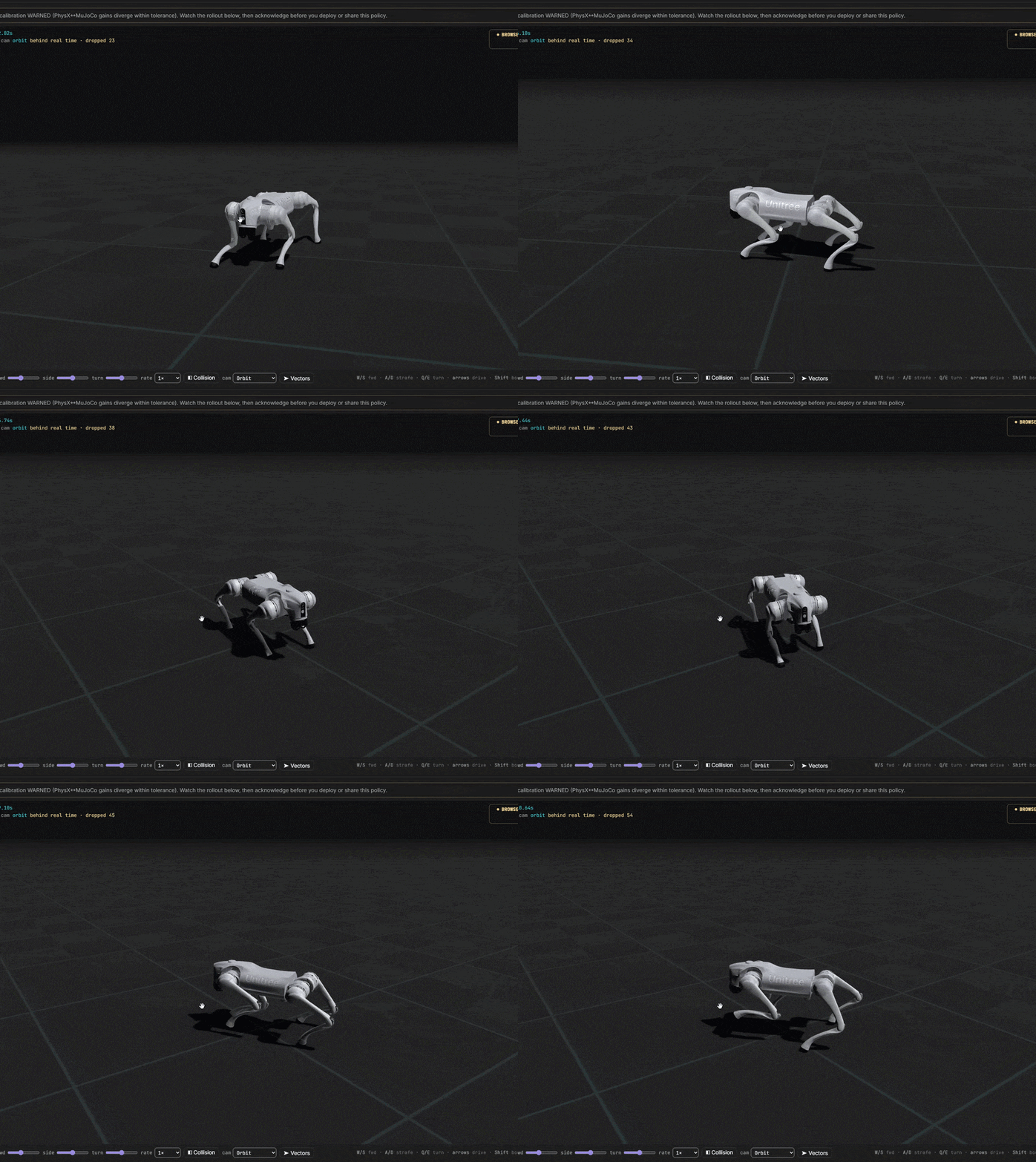
Reproduce la política entrenada en MuJoCo, luego exporta un bundle con el contrato que un robot necesita para ejecutarla.
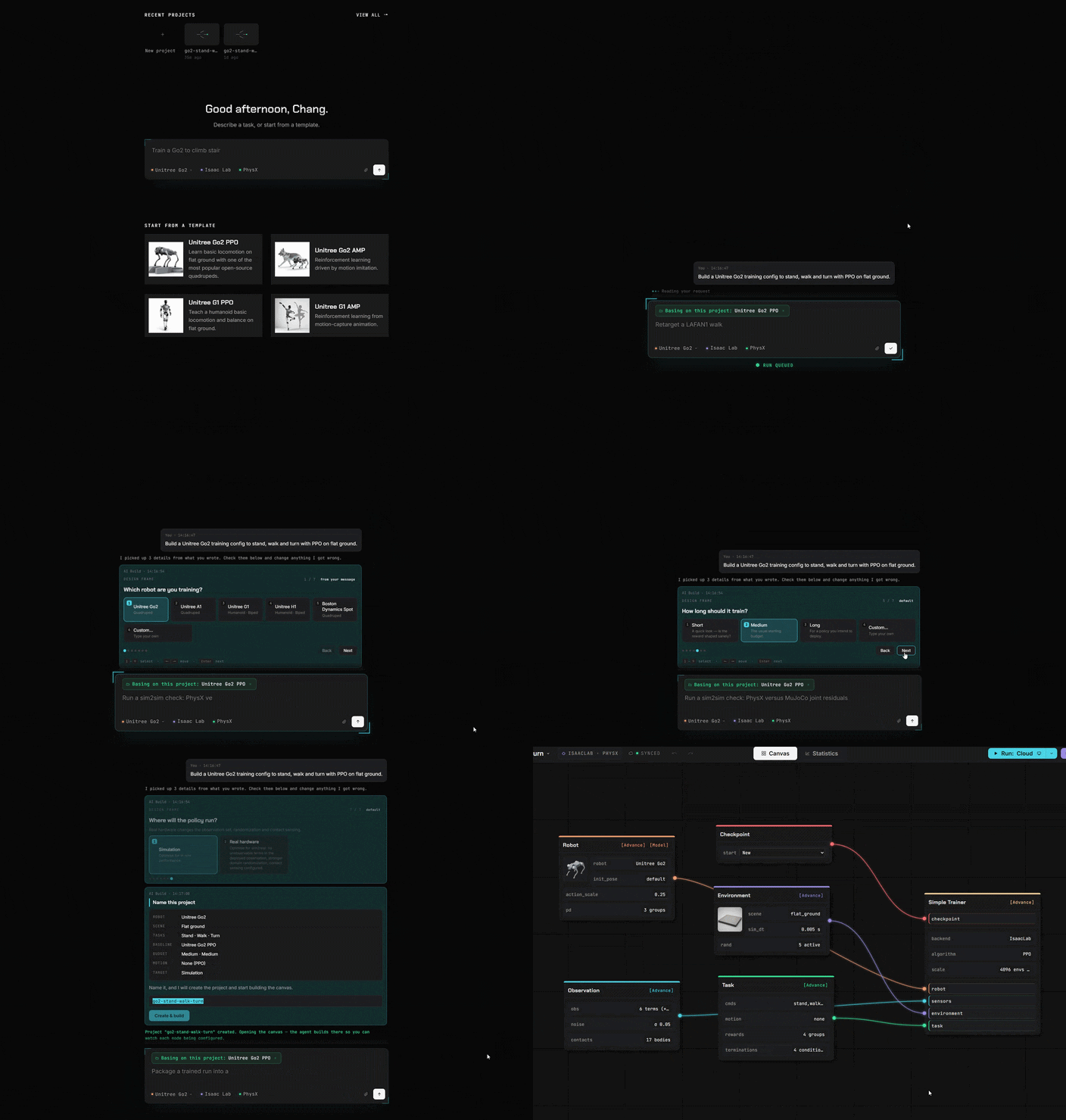
Dile a la IA
Ella construye la configuración
Apúntalo a la IA que se ejecuta en tu computadora. O a cualquier dirección de API. O simplemente usa nuestro agente.
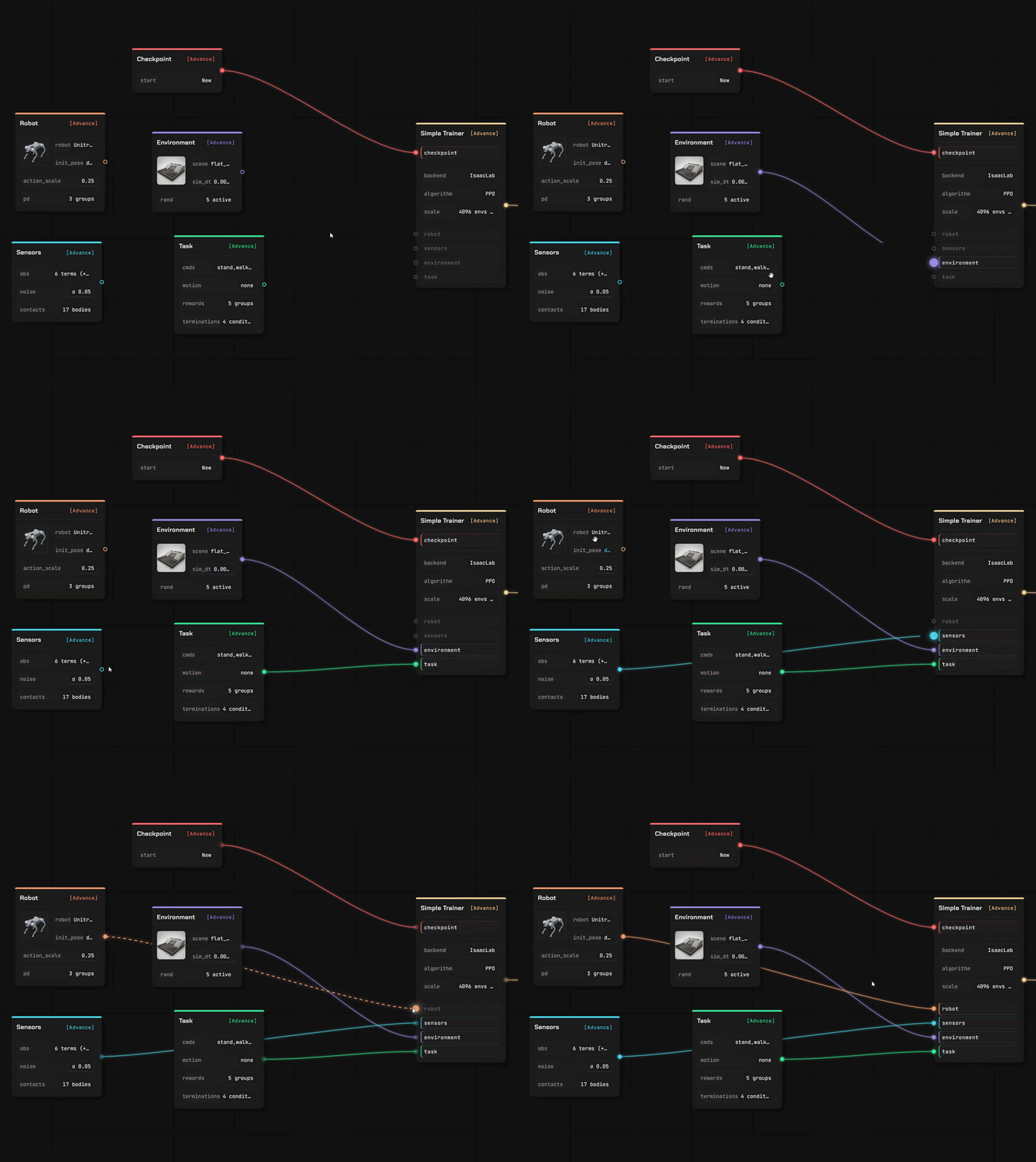
Bloques en lugar de código
Todo lo que solías escribir en código ahora es un bloque. Arrástralo, conéctalo, listo.
Trae tu propio robot y la superficie sobre la que caminar.
Dos editores completos, en la misma pestaña que el canvas. Tus archivos se leen donde los soltaste — una descripción que subes se analiza en tu propio navegador, no en un servidor.
Editor de robots
Arrastra una descripción del robot con sus mallas y se abrirá como un modelo editable, eslabón por eslabón y articulación por articulación.
- URDF y MuJoCo XML se analizan en el navegador; un stage USD lo lee nuestro servicio
- Asigna roles a las articulaciones, verifica las propiedades de inercia, configura el modelo del actuador
- Cada valor indica de dónde proviene — tuyo, estimado, o un valor por defecto que hemos inyectado
Editor de escena
Diseña el terreno sobre el que la política aprende, con un pincel y un conjunto de generadores — luego úsalo en un lienzo de entrenamiento.
- Esculpe el suelo, o genera escaleras, pendientes, cajas y terreno accidentado
- Coloca elementos que colisionan de verdad, y define dónde aparece el robot
- Guardado en tu propia biblioteca, listo para el nodo de entorno
Importa lo que ya tienes
Cuatro tipos de activos y más de una forma de importarlos. Todo lo que importes se guarda en tu almacenamiento, bajo tu cuenta.
Desde un repositorio público
Pega un enlace de GitHub, selecciona los archivos y confirma. Una descripción del robot incluye las mallas que referencia.
Desde tu propia máquina
Sube un archivo, o permite que el asistente local copie un modelo, una escena, un clip o una ejecución finalizada desde tu propio equipo.
Desde la comunidad
Suscríbete a algo publicado por otro usuario — se instala en tu biblioteca listo para usar.
Entrena en cualquier lugar
Simula en línea
Conéctate a nuestro GPU / tus servidores en la nube o tu propia máquina.
De la idea al robot entrenado
Tú controlas cada costo. Empieza completamente gratis. Conéctate rápido a nuestros servidores o a tu propio centro de entrenamiento.