تصميم تدريب نشر
- كتل سير العمل البصرية
- مساعد الذكاء الاصطناعي المدمج
- التدريب عبر الإنترنت وإعادة التشغيل
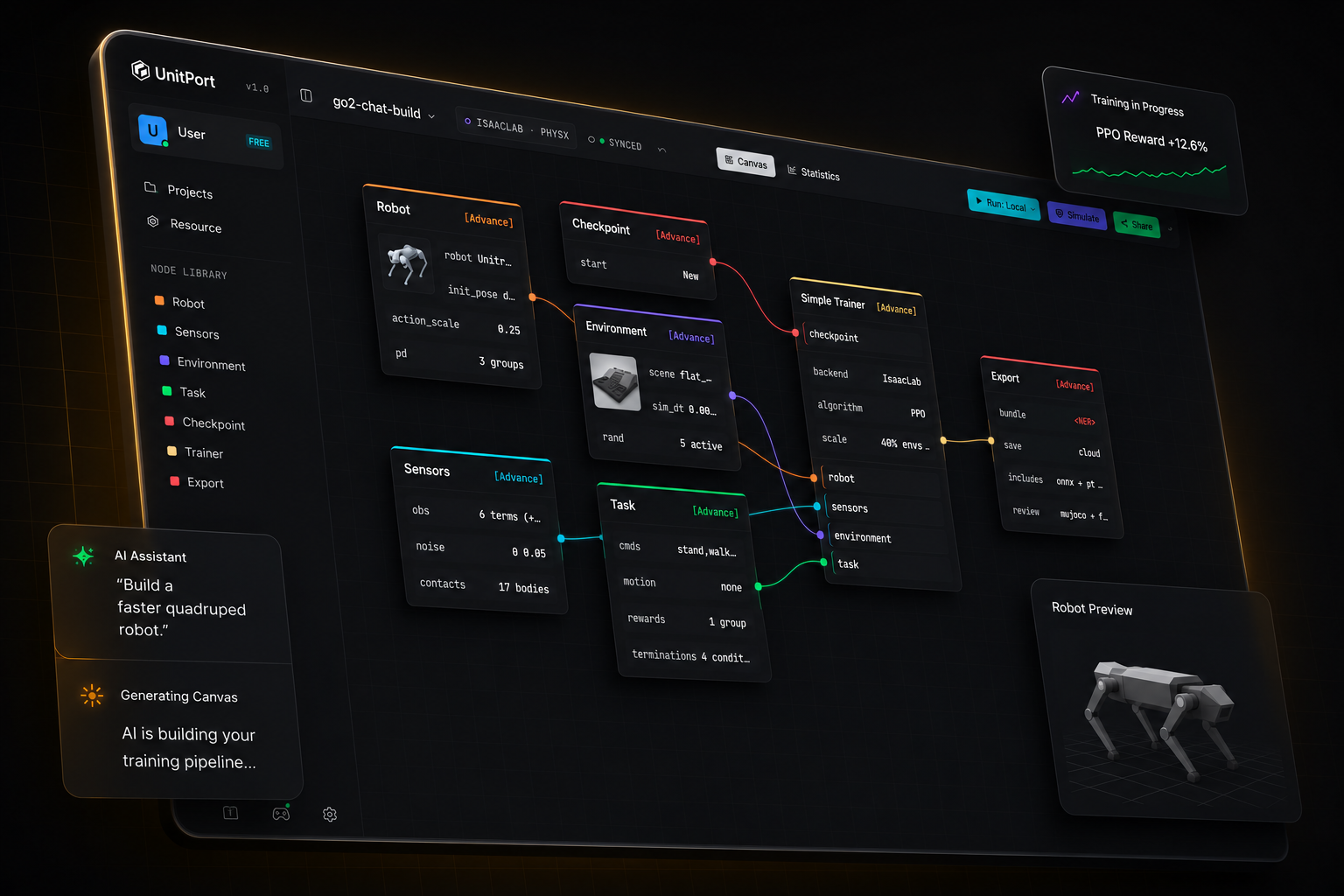
لم يكن تدريب الروبوت بهذه البساطة من قبل
من نموذج روبوت إلى سياسة قيد التشغيل
أربع خطوات، تبويب متصفح واحد. تثبّت أي شيء فقط عندما تريد أن يتم التدريب على جهازك الخاص.
-
01
أحضر روبوتاً
ابدأ من أحد الروبوتات المدمجة، أو استورد وصفك الخاص وقم بتحريره في المتصفح.
-
02
كوّن الرسم البياني
ستة عقد تحمل التكوين الكامل — الروبوت، والملاحَظة، والبيئة، والمهمة، ونقطة التفتيش، والمدرّب.
-
03
التدريب
على وحدات GPU السحابية الخاصة بنا، أو على خادمك الخاص، أو على Isaac Lab على الجهاز تحت مكتبك.
-
04
تحقق منه، ثم احصل عليه
أعد تشغيل السياسة المدربة في MuJoCo، ثم صدّر حزمة تحتوي على العقد التي يحتاجها الروبوت لتشغيلها.
أخبر الذكاء الاصطناعي
هو يبني الإعداد
وجهه إلى الذكاء الاصطناعي الذي يعمل على جهاز الكمبيوتر الخاص بك. أو إلى أي عنوان API. أو فقط استخدم وكيلنا.
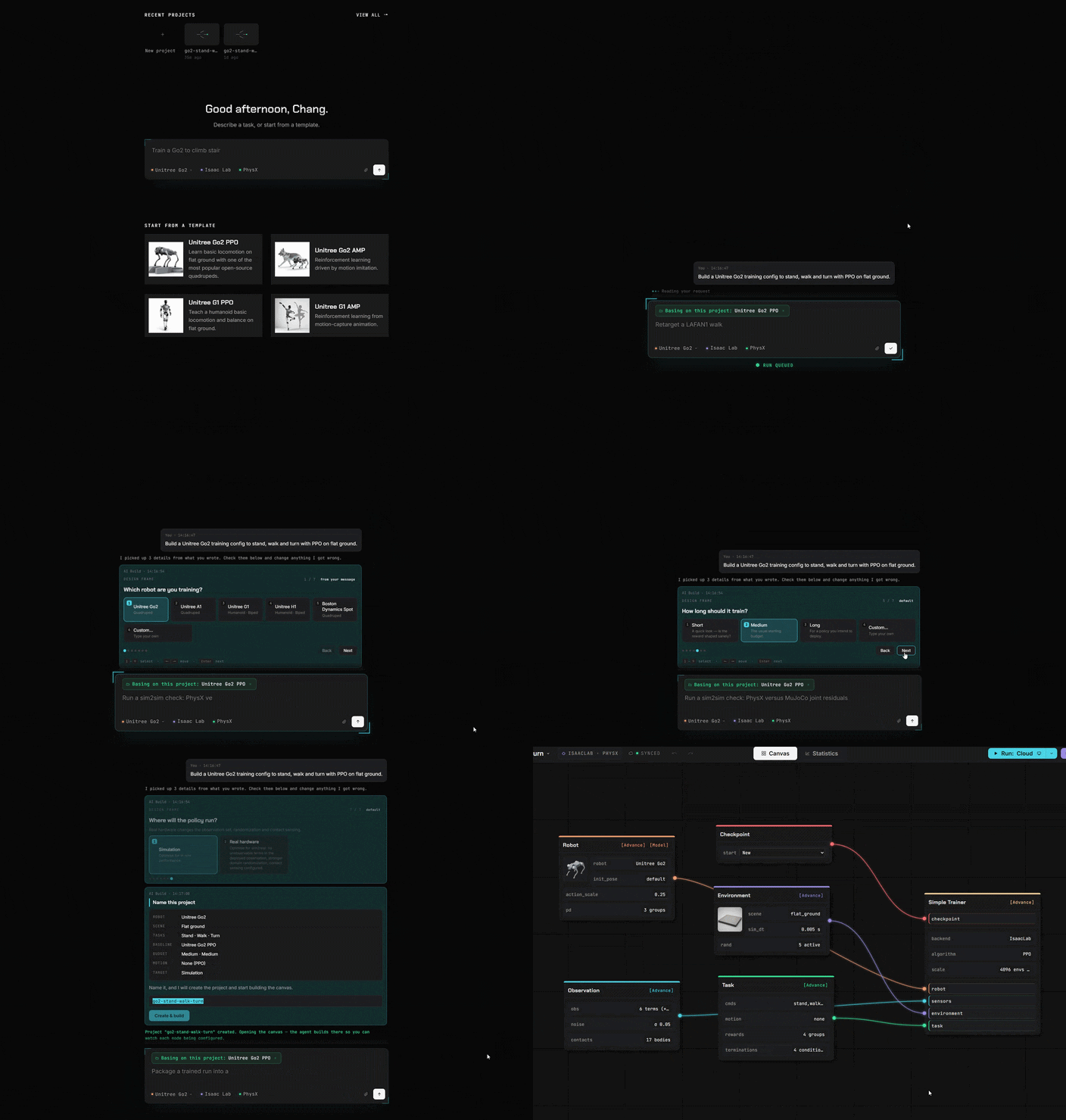
كتل بدلاً من الكود
كل ما كنت تكتبه في الكود أصبح الآن كتلة. اسحبها، وصِّلها، وانتهى الأمر.
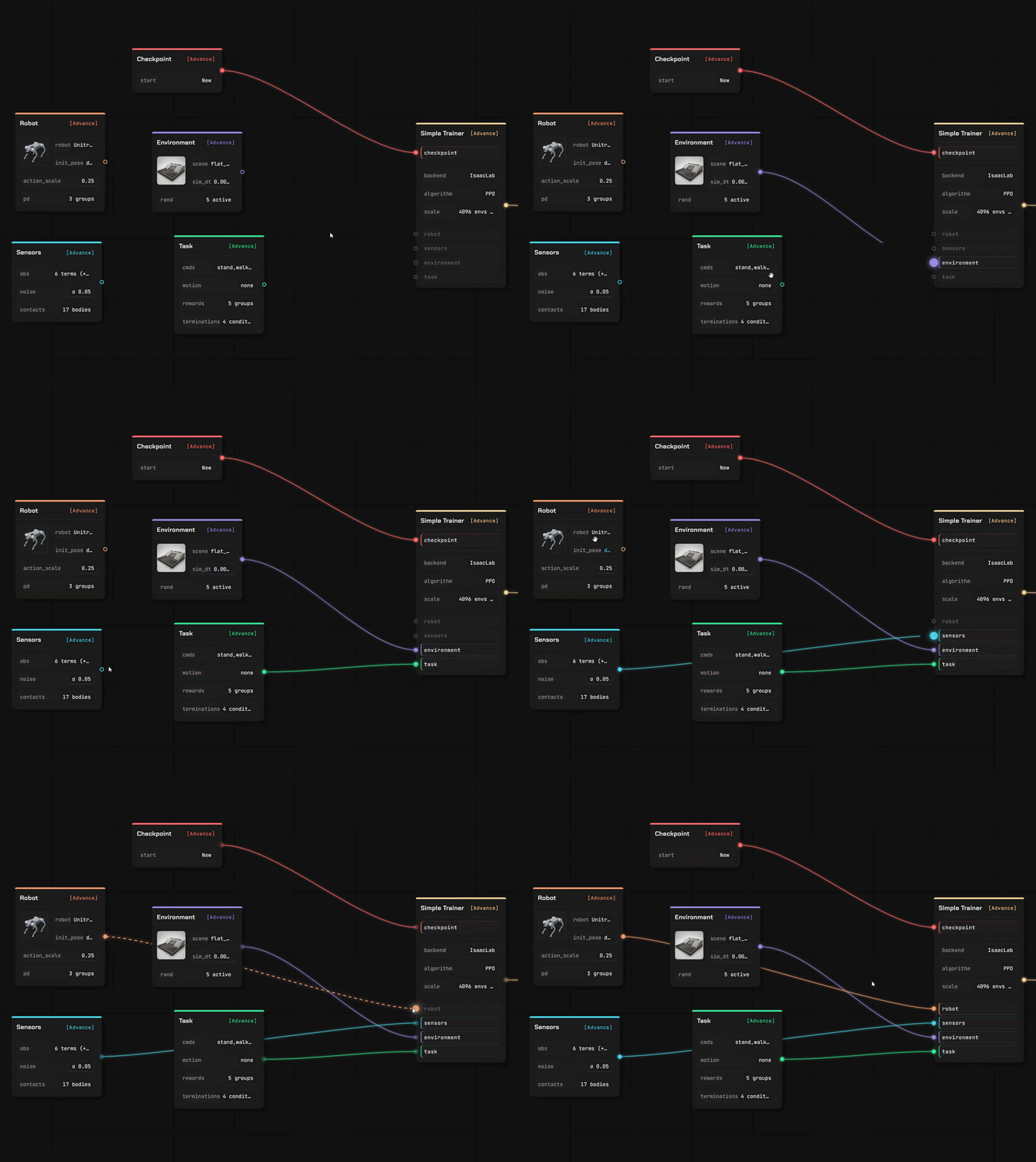
أحضر روبوتك الخاص، وأرضيتك الخاصة للمشي عليها.
محرّران كاملان، في نفس التبويب مع اللوحة. تُقرأ ملفاتك حيثما أسقطتها — الوصف الذي ترفعه يُحلل في متصفحك الخاص، وليس على خادم.
محرّر الروبوت
أسقط وصف روبوت مع شبكاته الهندسية فيُفتح كنموذج قابل للتحرير، وصلة تلو الأخرى ومفصلًا تلو المفصل.
- يُحلل URDF وMuJoCo XML في المتصفح؛ بينما يُقرأ مشهد USD بواسطة خدمتنا
- عيّن أدوار المفاصل، تحقق من العطالات، واضبط نموذج المشغّل.
- كل قيمة تتضمن مصدرها — خاصتك، مُقدّرة، أو قيمة افتراضية أضفناها.
محرّر المشهد
أنشئ التضاريس التي تتعلم عليها السياسة، باستخدام فرشاة ومجموعة من المُولّدات — ثم استخدمها في لوحة تدريب.
- شكّل الأرض، أو ولِّد سلالمًا ومنحدرات وصناديق وتضاريس وعرة
- ضع عناصر تتصادم فعليًا، وحدد مكان ظهور الروبوت
- تم الحفظ في مكتبتك الخاصة، جاهز لعقدة البيئة
استورد ما لديك بالفعل
أربعة أنواع من الأصول، وأكثر من طريقة للاستيراد. كل ما تستورده يُخزّن في مساحة التخزين الخاصة بك، تحت حسابك.
من مستودع عام
ألصق رابط GitHub، اختر الملفات، ثم أكد. وصف الروبوت يجلب معه الشبكات ثلاثية الأبعاد (meshes) المسماة.
من جهازك المحلي
حمِّل ملفًا، أو دع المساعد المحلي ينسخ نموذجًا أو مشهدًا أو مقطعًا أو نتيجة تشغيل مكتملة من حاسوبك.
من المجتمع
اشترك في شيء نشره مستخدم آخر — يُثبّت في مكتبتك جاهزًا للاستخدام.
درِّب في أي مكان
حاكِ عبر الإنترنت
اتصل بـ GPU الخاص بنا / خوادمك السحابية أو جهازك الخاص.
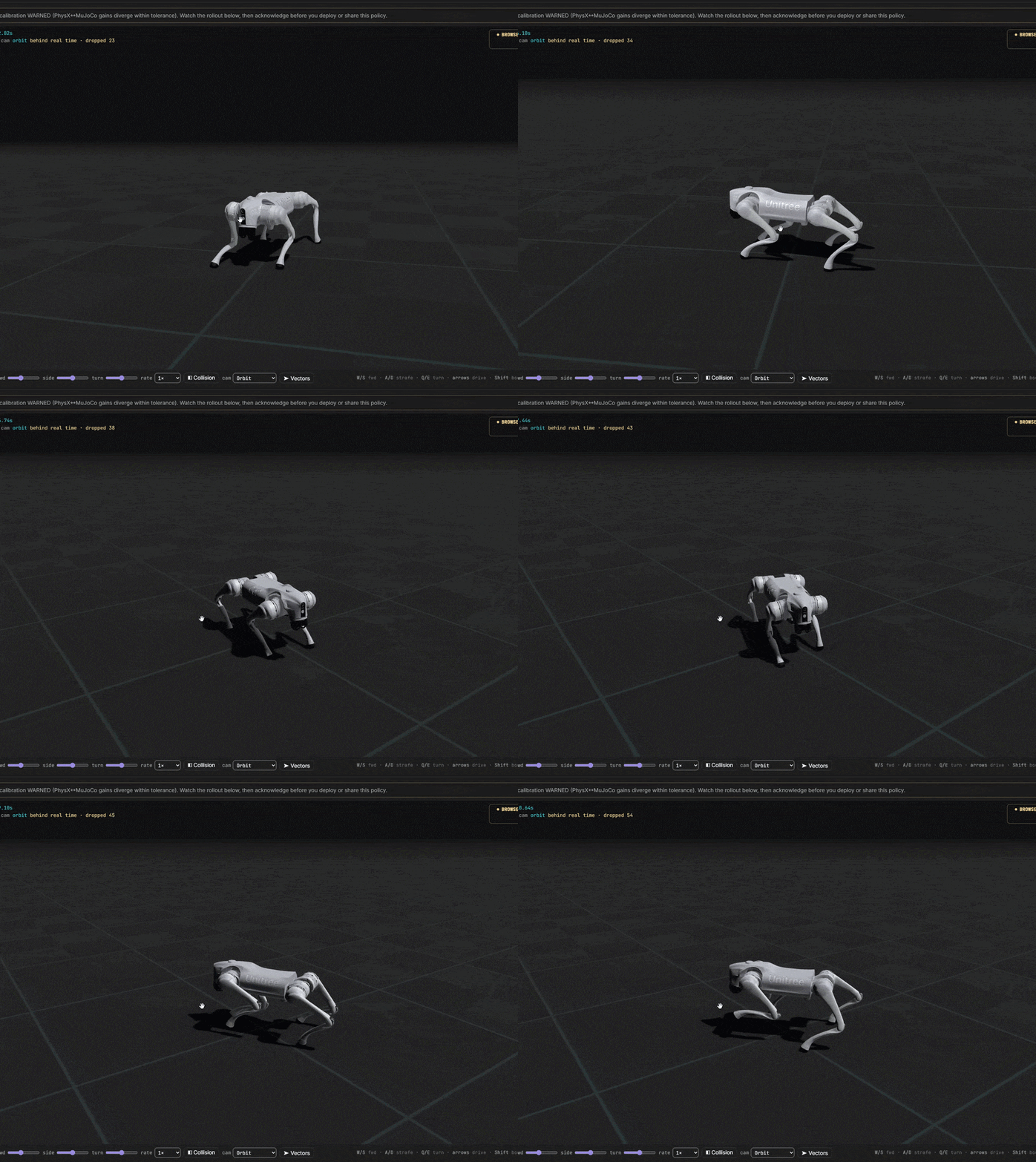
من الفكرة إلى الروبوت المدرب
أنت تتحكم في كل تكلفة. ابدأ مجانًا تمامًا. اتصل بسرعة بخوادمنا أو بمركز التدريب الخاص بك.